Choose your direction WordPress Theme


Stable Benefit Content for a WordPress-Managed Page Section
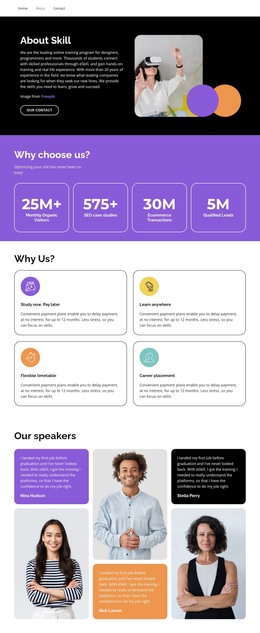
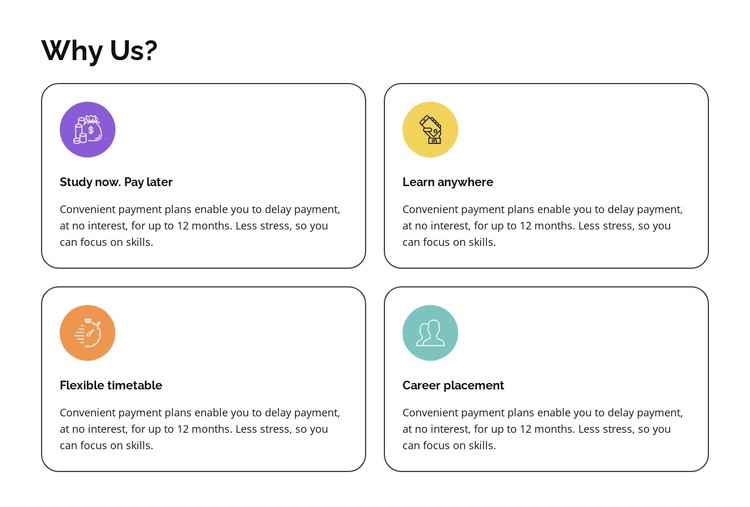
The section reads as durable page content because its four cards explain ongoing reasons to consider an education or training offering. Study now. Pay later, Learn anywhere, Flexible timetable, and Career placement are organized under the “Why Us?” heading, with each label supported by a paragraph rather than treated as a dated announcement. That makes the block suitable for a stable services or offering page where the surrounding project manages broader content.
Its visual structure supports that role without depending on a particular CMS element being visible inside the block. The two-column grid creates two rows of parallel content, and each card contains a colored circular icon, title, and description. Gray rounded outlines separate the items, while the white background and black typography keep the page section readable. The repeated pattern can remain consistent if the wider WordPress-managed page grows around it with additional content areas.
The block’s CMS interpretation is therefore about publishable content organization rather than theme scope. It can occupy one meaningful section on a page, with the surrounding project handling navigation, other pages, and any separate editorial or service content. The benefit cards retain their own internal logic: one heading introduces four practical and outcome-oriented reasons, and the visual treatment gives those reasons a recognizable presentation that can remain aligned with the site’s broader design.
Customize with Nicepage
Open this ready-made template in the WordPress Website Builder and customize it visually in the Nicepage editor. Replace demo content, edit page sections, and adapt the design to your project without rebuilding the template from scratch.
Edit Template Offline
2. Create a new page or select existing
3. Click Add new block, search for id 6070398 and click enter
Edit Template Online
Create Awesome Websites


Free Nicepage Builder
Keywords
Manage and Edit This Theme in WordPress
Customize and Install the WordPress Theme
Start with this ready-made theme instead of building the WordPress design from scratch. Customize its layout, content, typography, images, sections, and other design elements visually in Nicepage editor, then export and install the WordPress Theme, Plugin, and Pages on your WordPress site. The Nicepage WordPress Plugin lets you continue working with the site after installation.
Edit the Theme Directly in WordPress
After installation, you can edit the WordPress Theme directly in WordPress with the Nicepage WordPress Plugin. Use Site Style to customize site Colors, Fonts, Header, Footer, Blog, and Post Page Templates while working within your WordPress website.
Edit WordPress Pages Visually
Use the Nicepage WordPress Plugin to edit page content directly from the WordPress admin area. Open a WordPress Page with Nicepage and visually change its text, images, sections, and other page elements while continuing to manage the Page through WordPress.
WordPress Content and Theme Integration
Use the customized theme with WordPress Pages, Posts, Blog and Post Templates, menus, widgets, and other CMS-managed content. Shared theme elements such as Colors, Fonts, Header, Footer, Blog, and Post Page Templates can be managed as part of the overall site design, while WordPress provides the CMS environment for managing site content.
This workflow combines a ready-made WordPress Theme with visual customization, direct theme editing in WordPress, and continued content management through the Nicepage WordPress Plugin.