You know it's time WordPress Theme


Parallel course cards provide stable page content
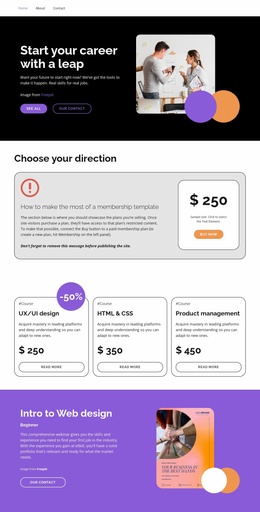
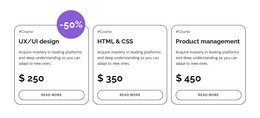
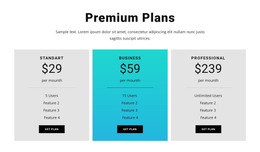
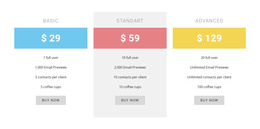
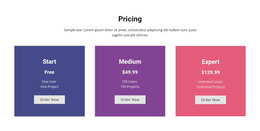
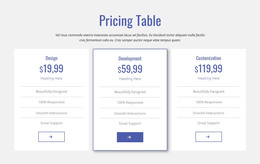
The repeated card structure makes the section well suited to permanent course or pricing information within a WordPress-managed page. UX/UI design, HTML & CSS, and Product management are separated into three comparable units, and each unit keeps its category label, descriptive copy, displayed price, and read-more link together. That grouping gives the content a predictable reading path: visitors can compare the offerings first, then follow the relevant link for deeper information. The section remains one focused content area while the wider project supplies other page roles.
Its visual hierarchy reinforces the content model without relying on complex interaction. A single horizontal row presents the three choices side by side; white card surfaces, dark gray outlines, soft rounding, and bold black titles distinguish each option without changing the repeated structure. Centered pill-shaped links provide a consistent action position, and the purple circular -50% badge gives the first card an additional point of emphasis. The displayed prices and discount marker function as the block's sample pricing presentation, while the surrounding WordPress-managed page can handle current course details, broader enrollment information, related content, and any later updates.
Customize with Nicepage
Open this ready-made template in the WordPress Website Builder and customize it visually in the Nicepage editor. Replace demo content, edit page sections, and adapt the design to your project without rebuilding the template from scratch.
Edit Template Offline
2. Create a new page or select existing
3. Click Add new block, search for id 6070393 and click enter
Edit Template Online
Create Awesome Websites


Free Nicepage Builder
Keywords
Manage and Edit This Theme in WordPress
Customize and Install the WordPress Theme
Start with this ready-made theme instead of building the WordPress design from scratch. Customize its layout, content, typography, images, sections, and other design elements visually in Nicepage editor, then export and install the WordPress Theme, Plugin, and Pages on your WordPress site. The Nicepage WordPress Plugin lets you continue working with the site after installation.
Edit the Theme Directly in WordPress
After installation, you can edit the WordPress Theme directly in WordPress with the Nicepage WordPress Plugin. Use Site Style to customize site Colors, Fonts, Header, Footer, Blog, and Post Page Templates while working within your WordPress website.
Edit WordPress Pages Visually
Use the Nicepage WordPress Plugin to edit page content directly from the WordPress admin area. Open a WordPress Page with Nicepage and visually change its text, images, sections, and other page elements while continuing to manage the Page through WordPress.
WordPress Content and Theme Integration
Use the customized theme with WordPress Pages, Posts, Blog and Post Templates, menus, widgets, and other CMS-managed content. Shared theme elements such as Colors, Fonts, Header, Footer, Blog, and Post Page Templates can be managed as part of the overall site design, while WordPress provides the CMS environment for managing site content.
This workflow combines a ready-made WordPress Theme with visual customization, direct theme editing in WordPress, and continued content management through the Nicepage WordPress Plugin.