Flexible timetable WordPress Theme


Stable Page Content From One Message and Two Testimonial Entries
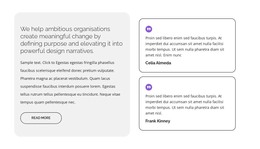
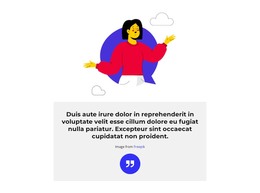
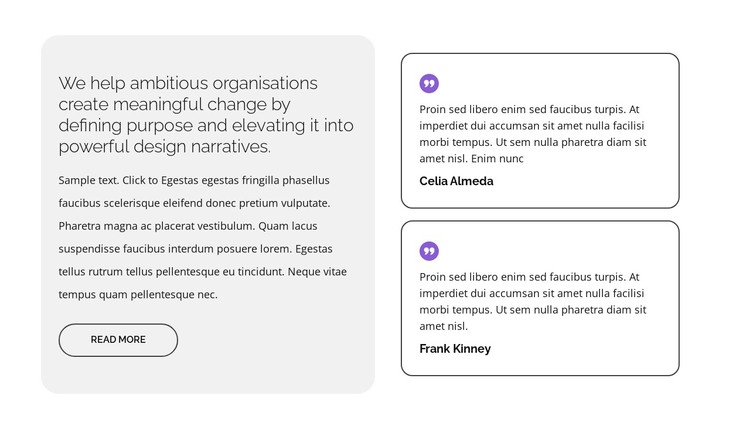
The heading, supporting paragraph, and read-more action form a stable introductory content area rather than a stream of time-sensitive entries. Its purpose-led wording frames the section, and the light-gray rounded panel gives that message a consistent visual home. In a WordPress-managed page, this kind of content can remain a recognizable testimonial or proof section while the wider project maintains other page content separately.
The two right-side cards provide the repeated content pattern. Each contains a circular quote icon, quotation text, and person-name label, with white surfaces and dark outlines that make the entries easy to distinguish. Their vertical stacking gives the section a clear reading order: the framing message appears first in the composition, followed by two supporting voices. Purple icons connect the cards visually without turning them into one combined quote.
The block can therefore fit a permanent services, about, or case-study context when the surrounding page needs evidence alongside a broader message. WordPress may manage the page content around it, but the block’s own value remains its fixed internal arrangement and testimonial role. The visual treatment can be retained as a reusable section pattern while other content areas evolve independently.
Customize with Nicepage
Open this ready-made template in the WordPress Website Builder and customize it visually in the Nicepage editor. Replace demo content, edit page sections, and adapt the design to your project without rebuilding the template from scratch.
Edit Template Offline
2. Create a new page or select existing
3. Click Add new block, search for id 6070408 and click enter
Edit Template Online
Create Awesome Websites


Free Nicepage Builder
Keywords
Manage and Edit This Theme in WordPress
Customize and Install the WordPress Theme
Start with this ready-made theme instead of building the WordPress design from scratch. Customize its layout, content, typography, images, sections, and other design elements visually in Nicepage editor, then export and install the WordPress Theme, Plugin, and Pages on your WordPress site. The Nicepage WordPress Plugin lets you continue working with the site after installation.
Edit the Theme Directly in WordPress
After installation, you can edit the WordPress Theme directly in WordPress with the Nicepage WordPress Plugin. Use Site Style to customize site Colors, Fonts, Header, Footer, Blog, and Post Page Templates while working within your WordPress website.
Edit WordPress Pages Visually
Use the Nicepage WordPress Plugin to edit page content directly from the WordPress admin area. Open a WordPress Page with Nicepage and visually change its text, images, sections, and other page elements while continuing to manage the Page through WordPress.
WordPress Content and Theme Integration
Use the customized theme with WordPress Pages, Posts, Blog and Post Templates, menus, widgets, and other CMS-managed content. Shared theme elements such as Colors, Fonts, Header, Footer, Blog, and Post Page Templates can be managed as part of the overall site design, while WordPress provides the CMS environment for managing site content.
This workflow combines a ready-made WordPress Theme with visual customization, direct theme editing in WordPress, and continued content management through the Nicepage WordPress Plugin.