Organic Mushroom WordPress Theme


Edit Template Offline
2. Create new page and search for id 6662567
Edit Template Online
Create Awesome Websites


Free Nicepage Builder
Keywords
Permanent Product Content and Repeated Cards Suit a WordPress Theme
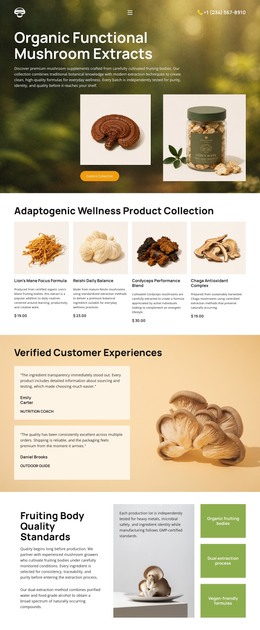
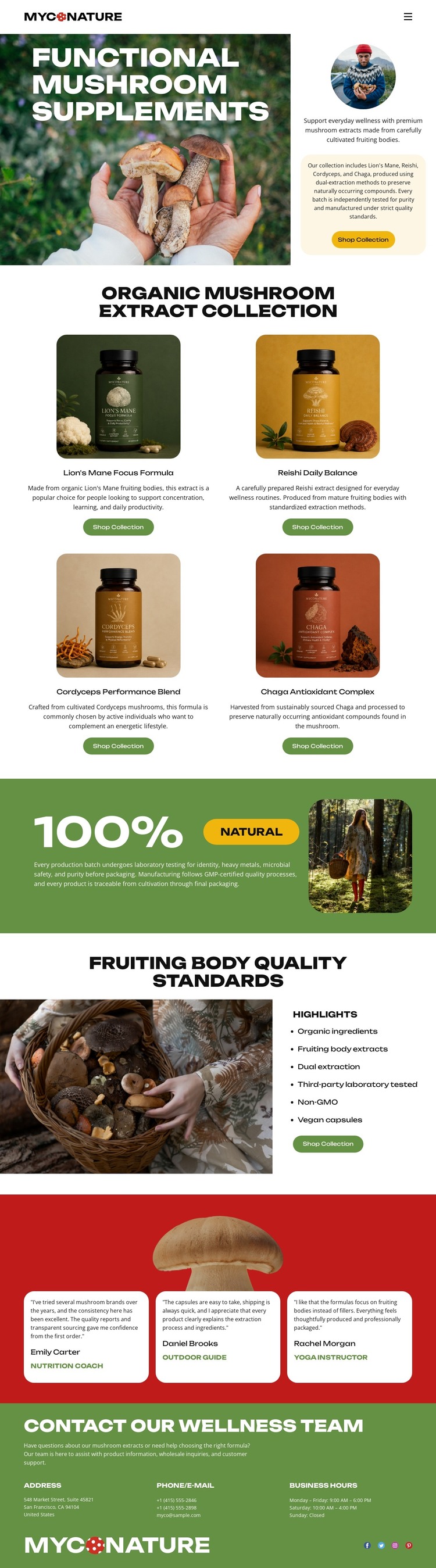
The page contains clear page-oriented content areas that can translate into a WordPress-managed visual system. The hero provides the main introduction and collection action, while the four repeated product cards create a consistent presentation for Lion's Mane, Reishi, Cordyceps, and Chaga formulas. Their shared structure is useful for maintaining related product information without losing the visual distinction between each item. The quality section adds another permanent content area, pairing mushroom imagery with the standards and sourcing highlights that support the collection.
Three testimonial cards can remain a separate proof-oriented region, while the closing wellness-team block groups contact details, business hours, brand elements, and social links as shared site-facing content. This arrangement leaves room for the design to surround permanent product and quality pages with regularly updated content later, without claiming that blog posts or WordPress-specific structures already exist in the template. The visual character depends on repeated packaging imagery, bold black typography, and green and red bands, so those elements can continue to connect different content areas within the theme. The result is a WordPress-oriented interpretation based on the page's product, proof, and contact relationships rather than on a generic CMS label.
Customize with Nicepage
Open this ready-made template in the WordPress Website Builder and customize it visually in the Nicepage editor. Replace demo content, edit page sections, and adapt the design to your project without rebuilding the template from scratch.
Manage and Edit This Theme in WordPress
Customize and Install the WordPress Theme
Start with this ready-made theme instead of building the WordPress design from scratch. Customize its layout, content, typography, images, sections, and other design elements visually in Nicepage editor, then export and install the WordPress Theme, Plugin, and Pages on your WordPress site. The Nicepage WordPress Plugin lets you continue working with the site after installation.
Edit the Theme Directly in WordPress
After installation, you can edit the WordPress Theme directly in WordPress with the Nicepage WordPress Plugin. Use Site Style to customize site Colors, Fonts, Header, Footer, Blog, and Post Page Templates while working within your WordPress website.
Edit WordPress Pages Visually
Use the Nicepage WordPress Plugin to edit page content directly from the WordPress admin area. Open a WordPress Page with Nicepage and visually change its text, images, sections, and other page elements while continuing to manage the Page through WordPress.
WordPress Content and Theme Integration
Use the customized theme with WordPress Pages, Posts, Blog and Post Templates, menus, widgets, and other CMS-managed content. Shared theme elements such as Colors, Fonts, Header, Footer, Blog, and Post Page Templates can be managed as part of the overall site design, while WordPress provides the CMS environment for managing site content.
This workflow combines a ready-made WordPress Theme with visual customization, direct theme editing in WordPress, and continued content management through the Nicepage WordPress Plugin.