Family-friendly pizza restaurant WordPress Theme


Edit Template Offline
2. Create new page and search for id 4694183
Edit Template Online
Create Awesome Websites


Free Nicepage Builder
Keywords
Pizza Content Areas Can Remain Connected Across WordPress Pages
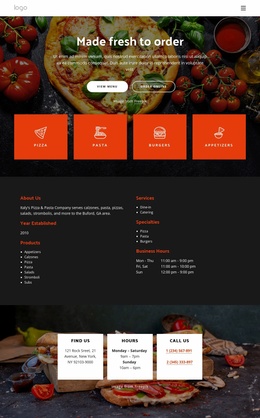
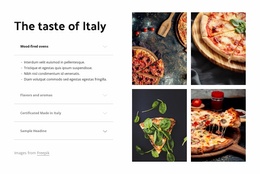
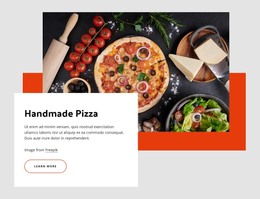
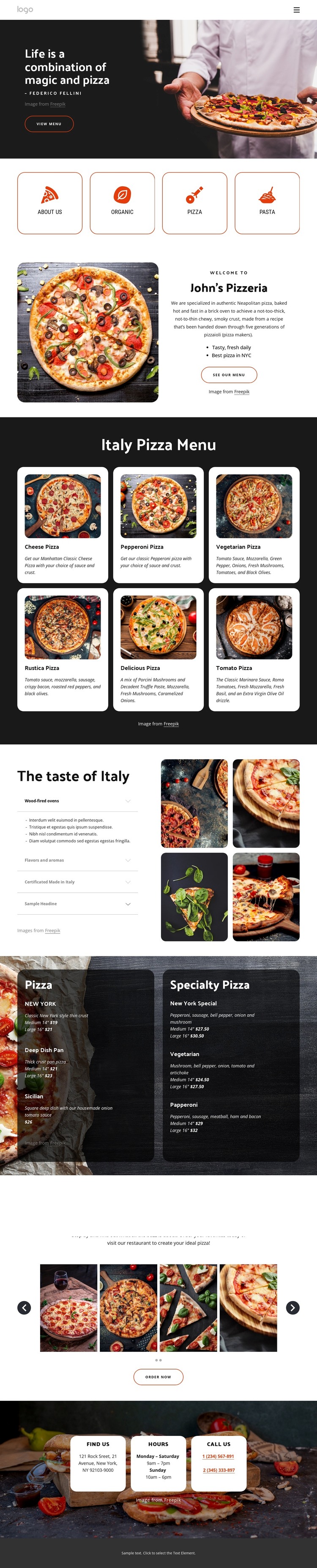
The page-oriented content is divided into areas that can be interpreted naturally within a WordPress-managed restaurant site. The About Us section provides permanent introductory content, while the six pizza cards create a repeated presentation for individual menu selections. The accordion adds grouped explanatory material about wood-fired ovens, flavors and aromas, and Made in Italy quality. These areas give the design a useful distinction between restaurant story, menu content, and preparation information.
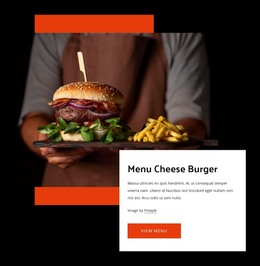
The two pricing panels provide another relationship to preserve: standard pizza choices are separated from specialty selections instead of being mixed into one undifferentiated list. That structure can help a restaurant keep its visual direction while its menu content changes. The food slider and Order Now action offer a separate promotional region, while the Find Us cards hold practical location, hours, and phone information that belongs with the site’s permanent contact content.
If the project later adds regularly updated announcements or editorial material, it should be treated as additional content rather than assumed to exist in this template. The theme’s verified value is the way its existing pages and repeated cards support clear content areas inside one visual system. The Nicepage WordPress Plugin is an optional bridge for working with WordPress content, but the template-specific interpretation comes from the menu, preparation, ordering, and contact relationships rather than from the CMS name alone.
Customize with Nicepage
Open this ready-made template in the WordPress Website Builder and customize it visually in the Nicepage editor. Replace demo content, edit page sections, and adapt the design to your project without rebuilding the template from scratch.
Manage and Edit This Theme in WordPress
Customize and Install the WordPress Theme
Start with this ready-made theme instead of building the WordPress design from scratch. Customize its layout, content, typography, images, sections, and other design elements visually in Nicepage editor, then export and install the WordPress Theme, Plugin, and Pages on your WordPress site. The Nicepage WordPress Plugin lets you continue working with the site after installation.
Edit the Theme Directly in WordPress
After installation, you can edit the WordPress Theme directly in WordPress with the Nicepage WordPress Plugin. Use Site Style to customize site Colors, Fonts, Header, Footer, Blog, and Post Page Templates while working within your WordPress website.
Edit WordPress Pages Visually
Use the Nicepage WordPress Plugin to edit page content directly from the WordPress admin area. Open a WordPress Page with Nicepage and visually change its text, images, sections, and other page elements while continuing to manage the Page through WordPress.
WordPress Content and Theme Integration
Use the customized theme with WordPress Pages, Posts, Blog and Post Templates, menus, widgets, and other CMS-managed content. Shared theme elements such as Colors, Fonts, Header, Footer, Blog, and Post Page Templates can be managed as part of the overall site design, while WordPress provides the CMS environment for managing site content.
This workflow combines a ready-made WordPress Theme with visual customization, direct theme editing in WordPress, and continued content management through the Nicepage WordPress Plugin.