Made fresh to order WordPress Theme



A Food Offering Section With Four Publishable Content Groups
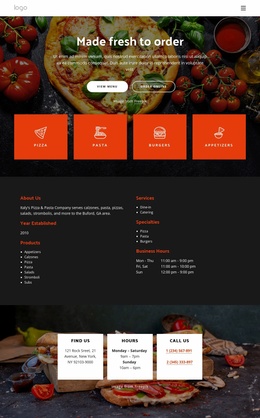
The heading “Made fresh to order” gives this block a stable page-content role for a WordPress-managed restaurant site. Centered introductory text sits over a darkened, full-width food photograph, creating a visual setting for the supporting paragraph without letting the image replace the written message. Two actions, “View menu” and “Order Online,” follow the introduction and establish distinct routes for visitors who want to browse or begin an order.
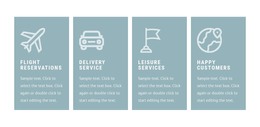
The lower portion organizes the offering into four repeated content groups: Pizza, Pasta, Burgers, and Appetizers. Each group uses an orange-red rectangular card with a white line icon and an uppercase label, so the categories remain easy to distinguish while sharing one consistent presentation. This repeated structure is useful for permanent page content because the food categories are separated into recognizable units rather than embedded in one undifferentiated paragraph.
Within a WordPress-oriented project, the section can occupy a stable services or menu-introduction area while the wider site handles other pages and changing content around it. The buttons can connect this section with the surrounding menu or ordering journey, but the block itself remains a focused content region. Its combination of heading, actions, photographic backdrop, and four labeled categories gives a WordPress page a ready-made food offering section without turning one reusable block into a complete theme or site.
Customize with Nicepage
Open this ready-made template in the WordPress Website Builder and customize it visually in the Nicepage editor. Replace demo content, edit page sections, and adapt the design to your project without rebuilding the template from scratch.
Edit Template Offline
2. Create a new page or select existing
3. Click Add new block, search for id 4716536 and click enter
Edit Template Online
Create Awesome Websites


Free Nicepage Builder
Keywords
Manage and Edit This Theme in WordPress
Customize and Install the WordPress Theme
Start with this ready-made theme instead of building the WordPress design from scratch. Customize its layout, content, typography, images, sections, and other design elements visually in Nicepage editor, then export and install the WordPress Theme, Plugin, and Pages on your WordPress site. The Nicepage WordPress Plugin lets you continue working with the site after installation.
Edit the Theme Directly in WordPress
After installation, you can edit the WordPress Theme directly in WordPress with the Nicepage WordPress Plugin. Use Site Style to customize site Colors, Fonts, Header, Footer, Blog, and Post Page Templates while working within your WordPress website.
Edit WordPress Pages Visually
Use the Nicepage WordPress Plugin to edit page content directly from the WordPress admin area. Open a WordPress Page with Nicepage and visually change its text, images, sections, and other page elements while continuing to manage the Page through WordPress.
WordPress Content and Theme Integration
Use the customized theme with WordPress Pages, Posts, Blog and Post Templates, menus, widgets, and other CMS-managed content. Shared theme elements such as Colors, Fonts, Header, Footer, Blog, and Post Page Templates can be managed as part of the overall site design, while WordPress provides the CMS environment for managing site content.
This workflow combines a ready-made WordPress Theme with visual customization, direct theme editing in WordPress, and continued content management through the Nicepage WordPress Plugin.