Natural juices and food WordPress Theme


The hero reads as stable page content in a WordPress project
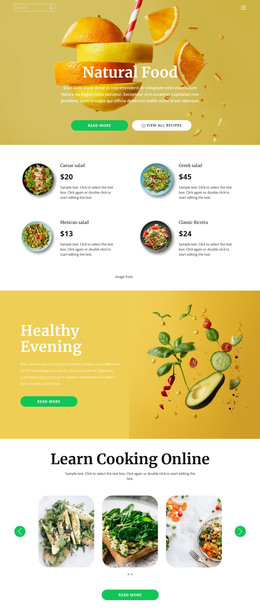
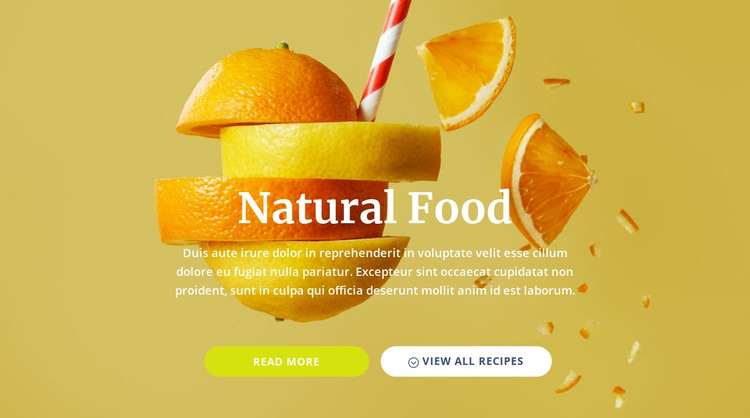
The centered “Natural Food” heading and supporting paragraph form a durable introductory message rather than a repeated list or time-sensitive update. The full-width citrus image reinforces that subject visually, giving the content a defined presentation when it is placed within a WordPress-managed page. Beneath the message, “read more” and “view all recipes” provide two visible directions that can connect this section to related content elsewhere in the project.
The block’s visual pattern is also suitable for consistent page content. White serif typography remains legible against the yellow-gold background, and the rounded lime and white buttons create a recognizable action treatment. Because the buttons stay in one row beneath the centered copy, the section can retain its identity when used alongside other page regions with different functions. The static interaction keeps the content relationship straightforward and easy to understand.
Within a WordPress-oriented project, this section can remain the designed presentation for a food or recipe introduction while the wider site supplies additional pages and managed content. The block itself does not need to carry the theme architecture or every publishing function. Its contribution is narrower and concrete: a visually distinctive, reusable page-content region that connects a natural food message with two possible next destinations.
Customize with Nicepage
Open this ready-made template in the WordPress Website Builder and customize it visually in the Nicepage editor. Replace demo content, edit page sections, and adapt the design to your project without rebuilding the template from scratch.
Edit Template Offline
2. Create a new page or select existing
3. Click Add new block, search for id 456429 and click enter
Edit Template Online
Create Awesome Websites


Free Nicepage Builder
Keywords
Manage and Edit This Theme in WordPress
Customize and Install the WordPress Theme
Start with this ready-made theme instead of building the WordPress design from scratch. Customize its layout, content, typography, images, sections, and other design elements visually in Nicepage editor, then export and install the WordPress Theme, Plugin, and Pages on your WordPress site. The Nicepage WordPress Plugin lets you continue working with the site after installation.
Edit the Theme Directly in WordPress
After installation, you can edit the WordPress Theme directly in WordPress with the Nicepage WordPress Plugin. Use Site Style to customize site Colors, Fonts, Header, Footer, Blog, and Post Page Templates while working within your WordPress website.
Edit WordPress Pages Visually
Use the Nicepage WordPress Plugin to edit page content directly from the WordPress admin area. Open a WordPress Page with Nicepage and visually change its text, images, sections, and other page elements while continuing to manage the Page through WordPress.
WordPress Content and Theme Integration
Use the customized theme with WordPress Pages, Posts, Blog and Post Templates, menus, widgets, and other CMS-managed content. Shared theme elements such as Colors, Fonts, Header, Footer, Blog, and Post Page Templates can be managed as part of the overall site design, while WordPress provides the CMS environment for managing site content.
This workflow combines a ready-made WordPress Theme with visual customization, direct theme editing in WordPress, and continued content management through the Nicepage WordPress Plugin.