Animals farming WordPress Theme


Stable Farming Content for a WordPress-Managed Page
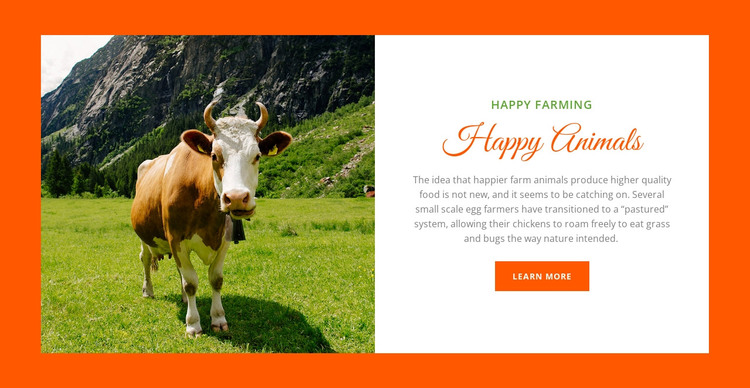
The block reads as durable informational content rather than a time-sensitive listing. Its full-height cow photograph introduces the farming subject, and the right panel develops that subject through the “Happy farming” label, “Happy Animals” heading, and copy describing pastured farming and chickens roaming freely to eat grass and bugs. The “Learn more” button provides a simple route to related information while preserving the section’s role as a compact content area.
In a WordPress-managed site, this block can fit naturally as a stable section on a page about farming, food production, animal care, or related topics. The surrounding project can manage other pages and publishing needs, while this visual arrangement keeps its image-and-text relationship intact. The white panel supports readable page content, the orange frame separates the section from adjacent material, and the green headings give the topic a repeatable visual cue without requiring the block to function as a complete theme.
Nicepage’s WordPress tools can support editing page content within a wider CMS project. The WordPress page-content workflow is relevant when the block is used as part of an existing WordPress site, while the block itself remains one reusable section rather than a standalone WordPress Theme.
Customize with Nicepage
Open this ready-made template in the WordPress Website Builder and customize it visually in the Nicepage editor. Replace demo content, edit page sections, and adapt the design to your project without rebuilding the template from scratch.
Edit Template Offline
2. Create a new page or select existing
3. Click Add new block, search for id 44945 and click enter
Edit Template Online
Create Awesome Websites


Free Nicepage Builder
Keywords
Manage and Edit This Theme in WordPress
Customize and Install the WordPress Theme
Start with this ready-made theme instead of building the WordPress design from scratch. Customize its layout, content, typography, images, sections, and other design elements visually in Nicepage editor, then export and install the WordPress Theme, Plugin, and Pages on your WordPress site. The Nicepage WordPress Plugin lets you continue working with the site after installation.
Edit the Theme Directly in WordPress
After installation, you can edit the WordPress Theme directly in WordPress with the Nicepage WordPress Plugin. Use Site Style to customize site Colors, Fonts, Header, Footer, Blog, and Post Page Templates while working within your WordPress website.
Edit WordPress Pages Visually
Use the Nicepage WordPress Plugin to edit page content directly from the WordPress admin area. Open a WordPress Page with Nicepage and visually change its text, images, sections, and other page elements while continuing to manage the Page through WordPress.
WordPress Content and Theme Integration
Use the customized theme with WordPress Pages, Posts, Blog and Post Templates, menus, widgets, and other CMS-managed content. Shared theme elements such as Colors, Fonts, Header, Footer, Blog, and Post Page Templates can be managed as part of the overall site design, while WordPress provides the CMS environment for managing site content.
This workflow combines a ready-made WordPress Theme with visual customization, direct theme editing in WordPress, and continued content management through the Nicepage WordPress Plugin.