Flex 2 WordPress Theme


Edit Template Offline
2. Create new page and search for id 18333
Edit Template Online
Create Awesome Websites


Free Nicepage Builder
Keywords
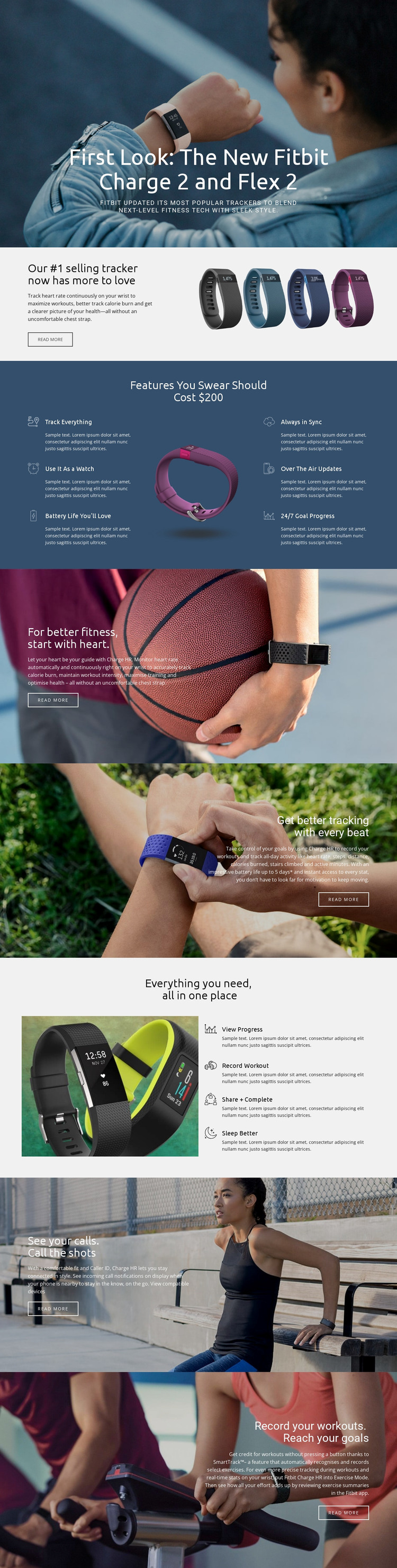
Feature content and workout stories fit a page-oriented product theme
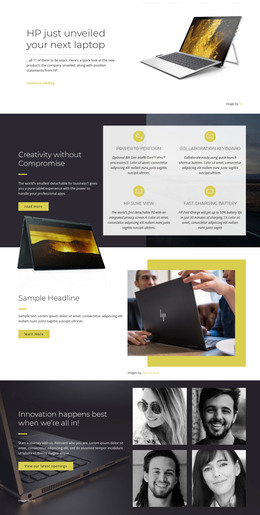
The six labeled features give Flex 2 a strong basis for permanent product content. Tracking everything, watch use, battery life, synchronization, over-the-air updates, and goal progress can each be treated as a focused explanation while remaining connected to the same visual system. The separate four-action group adds another page-oriented content area around viewing progress, recording a workout, sharing and completing goals, and sleeping better.
The design also leaves room for content with different publishing rhythms. The core product introduction, continuous heart-rate monitoring, caller ID, and compatibility information read as stable information areas. Fitness photography, SmartTrack, and automatic exercise recording can support regularly refreshed workout or activity stories without changing the page’s central design character. The verified facts do not establish existing WordPress Posts, categories, or blog structures, so those are possibilities for future content rather than claims about the template itself.
A WordPress-oriented project could therefore use the layout as a coordinated theme foundation for permanent product pages and additional editorial material. Product images remain the visual anchors, while dark image overlays, white headings, gray content areas, and blue accents preserve continuity between different content types. The “View compatible devices” link and repeated Read more actions provide recognizable destinations for deeper page content, helping the design connect product information with later updates or supporting articles.
Customize with Nicepage
Open this ready-made template in the WordPress Website Builder and customize it visually in the Nicepage editor. Replace demo content, edit page sections, and adapt the design to your project without rebuilding the template from scratch.
Manage and Edit This Theme in WordPress
Customize and Install the WordPress Theme
Start with this ready-made theme instead of building the WordPress design from scratch. Customize its layout, content, typography, images, sections, and other design elements visually in Nicepage editor, then export and install the WordPress Theme, Plugin, and Pages on your WordPress site. The Nicepage WordPress Plugin lets you continue working with the site after installation.
Edit the Theme Directly in WordPress
After installation, you can edit the WordPress Theme directly in WordPress with the Nicepage WordPress Plugin. Use Site Style to customize site Colors, Fonts, Header, Footer, Blog, and Post Page Templates while working within your WordPress website.
Edit WordPress Pages Visually
Use the Nicepage WordPress Plugin to edit page content directly from the WordPress admin area. Open a WordPress Page with Nicepage and visually change its text, images, sections, and other page elements while continuing to manage the Page through WordPress.
WordPress Content and Theme Integration
Use the customized theme with WordPress Pages, Posts, Blog and Post Templates, menus, widgets, and other CMS-managed content. Shared theme elements such as Colors, Fonts, Header, Footer, Blog, and Post Page Templates can be managed as part of the overall site design, while WordPress provides the CMS environment for managing site content.
This workflow combines a ready-made WordPress Theme with visual customization, direct theme editing in WordPress, and continued content management through the Nicepage WordPress Plugin.