4 Pricing plans WordPress Theme


Stable Plan Information Fits a WordPress-Managed Page Section
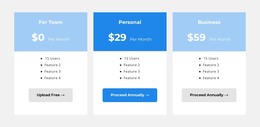
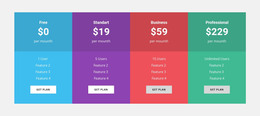
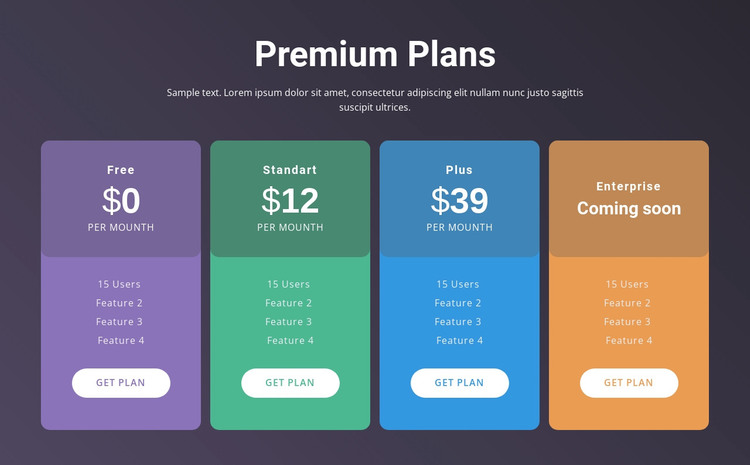
The heading “Premium Plans,” supporting paragraph, and four repeated cards form stable page content rather than a time-based editorial stream. In a WordPress-oriented project, the section can serve as a permanent pricing area where visitors compare Free, Standart, Plus, and Enterprise. The first three cards display $0, $12, and $39 per month, while Enterprise communicates “Coming soon,” allowing the content to present both current price points and a future availability state.
The page-section logic remains clear because every card uses the same content pattern: a summary panel, billing label, four feature lines, and a “Get plan” button. The dark purple gradient frames the comparison, and the purple, green, blue, and orange treatments give each plan a distinct visual identity while maintaining shared alignment. This makes the block suitable for a stable services or pricing page area managed alongside other site content. The surrounding WordPress project can provide navigation, additional pages, or changing editorial material, while this section retains its own package-comparison role. The block is therefore interpreted as reusable page content within a CMS-managed site, not as a complete theme or complete WordPress project.
Customize with Nicepage
Open this ready-made template in the WordPress Website Builder and customize it visually in the Nicepage editor. Replace demo content, edit page sections, and adapt the design to your project without rebuilding the template from scratch.
Edit Template Offline
2. Create a new page or select existing
3. Click Add new block, search for id 460955 and click enter
Edit Template Online
Create Awesome Websites


Free Nicepage Builder
Keywords
Manage and Edit This Theme in WordPress
Customize and Install the WordPress Theme
Start with this ready-made theme instead of building the WordPress design from scratch. Customize its layout, content, typography, images, sections, and other design elements visually in Nicepage editor, then export and install the WordPress Theme, Plugin, and Pages on your WordPress site. The Nicepage WordPress Plugin lets you continue working with the site after installation.
Edit the Theme Directly in WordPress
After installation, you can edit the WordPress Theme directly in WordPress with the Nicepage WordPress Plugin. Use Site Style to customize site Colors, Fonts, Header, Footer, Blog, and Post Page Templates while working within your WordPress website.
Edit WordPress Pages Visually
Use the Nicepage WordPress Plugin to edit page content directly from the WordPress admin area. Open a WordPress Page with Nicepage and visually change its text, images, sections, and other page elements while continuing to manage the Page through WordPress.
WordPress Content and Theme Integration
Use the customized theme with WordPress Pages, Posts, Blog and Post Templates, menus, widgets, and other CMS-managed content. Shared theme elements such as Colors, Fonts, Header, Footer, Blog, and Post Page Templates can be managed as part of the overall site design, while WordPress provides the CMS environment for managing site content.
This workflow combines a ready-made WordPress Theme with visual customization, direct theme editing in WordPress, and continued content management through the Nicepage WordPress Plugin.