Solutions improve productivity WordPress Theme



Edit Template Offline
2. Create new page and search for id 283136
Edit Template Online
Create Awesome Websites


Free Nicepage Builder
Keywords
Feature Groups and Editorial Areas Give Technology Content a WordPress Shape
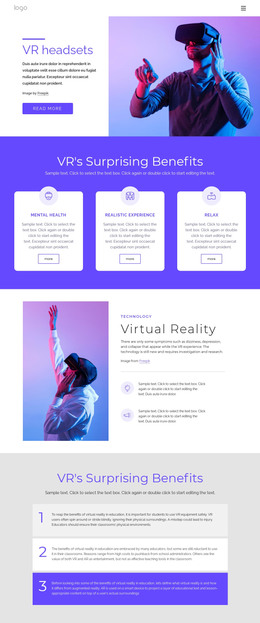
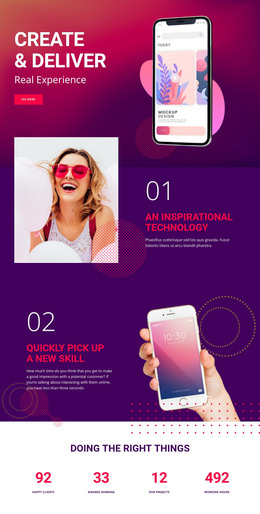
The page contains several permanent content areas that can be interpreted naturally within a WordPress-managed site. The Web Software Developers introduction establishes page-oriented core content, while the Key Features block organizes Development, Top Skills, Design, and Responsive as repeated items. The Data Visualization section adds a concise process narrative through “01. goals” and “02. strategy,” giving the presentation more editorial structure than a simple service headline.
The later capability tiles—Development, 5G Network, AI Products, and Automation—provide another grouped content area that could be expanded with project-specific descriptions or related technology material. Web Analytics adds a focused feature presentation, and the process-involvement section creates a separate explanatory passage with a Learn more action. These areas offer different content roles while remaining connected by the repeated purple-and-white visual direction and interface imagery. The analysis confirms these sections, but does not establish that WordPress Posts, categories, or blog content already exist.
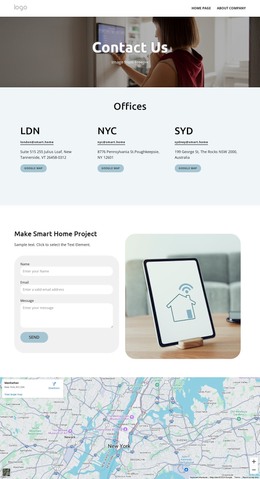
The final contact block is organized around three distinct channels: address, email, and telephone. That makes the closing content easy to maintain as separate information while preserving its shared presentation. In a WordPress theme context, the design therefore provides a clear visual structure for permanent technology pages and recurring capability content, with room for the site’s managed content to grow around the verified page arrangement.
Customize with Nicepage
Open this ready-made template in the WordPress Website Builder and customize it visually in the Nicepage editor. Replace demo content, edit page sections, and adapt the design to your project without rebuilding the template from scratch.
Manage and Edit This Theme in WordPress
Customize and Install the WordPress Theme
Start with this ready-made theme instead of building the WordPress design from scratch. Customize its layout, content, typography, images, sections, and other design elements visually in Nicepage editor, then export and install the WordPress Theme, Plugin, and Pages on your WordPress site. The Nicepage WordPress Plugin lets you continue working with the site after installation.
Edit the Theme Directly in WordPress
After installation, you can edit the WordPress Theme directly in WordPress with the Nicepage WordPress Plugin. Use Site Style to customize site Colors, Fonts, Header, Footer, Blog, and Post Page Templates while working within your WordPress website.
Edit WordPress Pages Visually
Use the Nicepage WordPress Plugin to edit page content directly from the WordPress admin area. Open a WordPress Page with Nicepage and visually change its text, images, sections, and other page elements while continuing to manage the Page through WordPress.
WordPress Content and Theme Integration
Use the customized theme with WordPress Pages, Posts, Blog and Post Templates, menus, widgets, and other CMS-managed content. Shared theme elements such as Colors, Fonts, Header, Footer, Blog, and Post Page Templates can be managed as part of the overall site design, while WordPress provides the CMS environment for managing site content.
This workflow combines a ready-made WordPress Theme with visual customization, direct theme editing in WordPress, and continued content management through the Nicepage WordPress Plugin.