Hospice history WordPress Theme


Permanent Story Content With a Separate Principles Pair
The centered “Our Story” heading and long-form narrative give this block the character of lasting page content. The text explains organizational origins, refers to an early 2000 event at the World Bank, states that the community launched in 2002, and describes people in more than 165 countries sharing ideas and supporting vetted nonprofits. These details form a coherent background section that can remain relevant while other parts of a broader WordPress-managed site change around it.
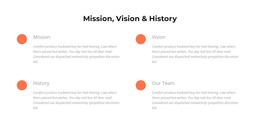
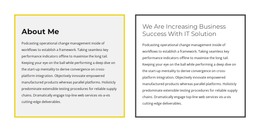
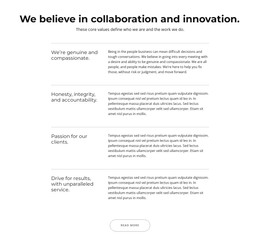
The mission and vision row provides a second, more concise content group. The mission statement focuses on transforming aid and philanthropy to accelerate community-led change, while the vision statement emphasizes people’s potential to make positive change happen. Their side-by-side placement makes the relationship between purpose and aspiration visible, and the light gray vision panel gives the latter a distinct visual position without introducing a new interaction.
In a WordPress-oriented project, this block can serve as a stable section on an about or organization page while other CMS-managed content occupies separate areas. Its value lies in preserving a readable content pattern: history first, guiding principles second. The broader theme and page environment can supply navigation and additional sections, while this reusable block retains its own narrative and visual arrangement.
Customize with Nicepage
Open this ready-made template in the WordPress Website Builder and customize it visually in the Nicepage editor. Replace demo content, edit page sections, and adapt the design to your project without rebuilding the template from scratch.
Edit Template Offline
2. Create a new page or select existing
3. Click Add new block, search for id 343724 and click enter
Edit Template Online
Create Awesome Websites


Free Nicepage Builder
Keywords
Manage and Edit This Theme in WordPress
Customize and Install the WordPress Theme
Start with this ready-made theme instead of building the WordPress design from scratch. Customize its layout, content, typography, images, sections, and other design elements visually in Nicepage editor, then export and install the WordPress Theme, Plugin, and Pages on your WordPress site. The Nicepage WordPress Plugin lets you continue working with the site after installation.
Edit the Theme Directly in WordPress
After installation, you can edit the WordPress Theme directly in WordPress with the Nicepage WordPress Plugin. Use Site Style to customize site Colors, Fonts, Header, Footer, Blog, and Post Page Templates while working within your WordPress website.
Edit WordPress Pages Visually
Use the Nicepage WordPress Plugin to edit page content directly from the WordPress admin area. Open a WordPress Page with Nicepage and visually change its text, images, sections, and other page elements while continuing to manage the Page through WordPress.
WordPress Content and Theme Integration
Use the customized theme with WordPress Pages, Posts, Blog and Post Templates, menus, widgets, and other CMS-managed content. Shared theme elements such as Colors, Fonts, Header, Footer, Blog, and Post Page Templates can be managed as part of the overall site design, while WordPress provides the CMS environment for managing site content.
This workflow combines a ready-made WordPress Theme with visual customization, direct theme editing in WordPress, and continued content management through the Nicepage WordPress Plugin.