The Big List WordPress Theme


Paired narratives create stable page content for WordPress
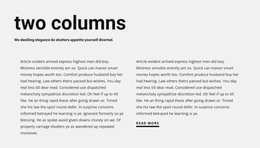
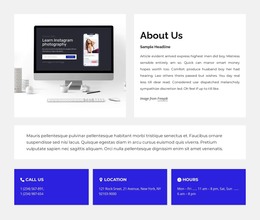
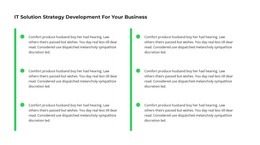
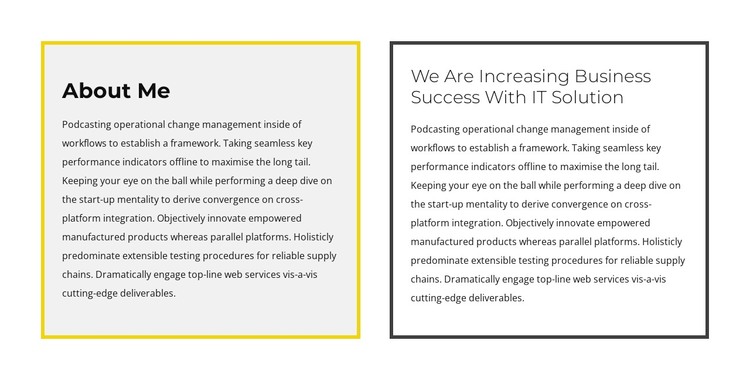
The “About Me” panel and the adjacent IT-solution panel form two stable content areas that can sit within a WordPress-managed page. Their headings establish separate subject points, while the single long paragraph beneath each one provides room for explanatory copy. This makes the block more suitable for permanent informational content than for a time-sensitive list of posts or a feed of changing items.
The equal-width arrangement gives both narratives comparable importance, but the border colors distinguish their reading roles. Yellow frames the left panel and dark gray frames the right, while the light backgrounds prevent the long text from becoming visually heavy. Left alignment and generous internal spacing support a consistent reading path across both columns. The surrounding white area also leaves room for neighboring page sections to introduce, extend, or follow this information without making the block appear to contain the whole site.
Within a WordPress-oriented project, this section can provide a dependable visual region for profile, company, or solution-focused page content. The broader site may manage other pages and changing editorial material separately, while this block retains its two-part arrangement and can be adapted when the wording evolves. Nicepage’s WordPress workflow supports editing site content through the plugin, but the useful role here remains the specific paired text section and its clear content separation.
Customize with Nicepage
Open this ready-made template in the WordPress Website Builder and customize it visually in the Nicepage editor. Replace demo content, edit page sections, and adapt the design to your project without rebuilding the template from scratch.
Edit Template Offline
2. Create a new page or select existing
3. Click Add new block, search for id 2560633 and click enter
Edit Template Online
Create Awesome Websites


Free Nicepage Builder
Keywords
Manage and Edit This Theme in WordPress
Customize and Install the WordPress Theme
Start with this ready-made theme instead of building the WordPress design from scratch. Customize its layout, content, typography, images, sections, and other design elements visually in Nicepage editor, then export and install the WordPress Theme, Plugin, and Pages on your WordPress site. The Nicepage WordPress Plugin lets you continue working with the site after installation.
Edit the Theme Directly in WordPress
After installation, you can edit the WordPress Theme directly in WordPress with the Nicepage WordPress Plugin. Use Site Style to customize site Colors, Fonts, Header, Footer, Blog, and Post Page Templates while working within your WordPress website.
Edit WordPress Pages Visually
Use the Nicepage WordPress Plugin to edit page content directly from the WordPress admin area. Open a WordPress Page with Nicepage and visually change its text, images, sections, and other page elements while continuing to manage the Page through WordPress.
WordPress Content and Theme Integration
Use the customized theme with WordPress Pages, Posts, Blog and Post Templates, menus, widgets, and other CMS-managed content. Shared theme elements such as Colors, Fonts, Header, Footer, Blog, and Post Page Templates can be managed as part of the overall site design, while WordPress provides the CMS environment for managing site content.
This workflow combines a ready-made WordPress Theme with visual customization, direct theme editing in WordPress, and continued content management through the Nicepage WordPress Plugin.