Our team decides everything WordPress Theme


Edit Template Offline
2. Create new page and search for id 5230289
Edit Template Online
Create Awesome Websites


Free Nicepage Builder
Keywords
Team Profiles and Program Benefits Give WordPress Content a Clear Publishing Pattern
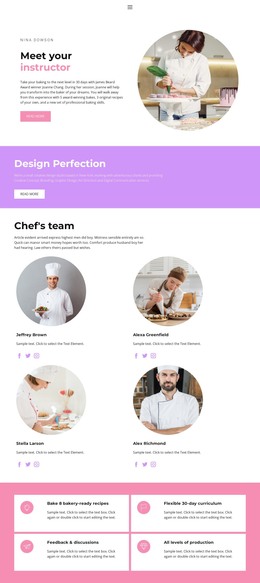
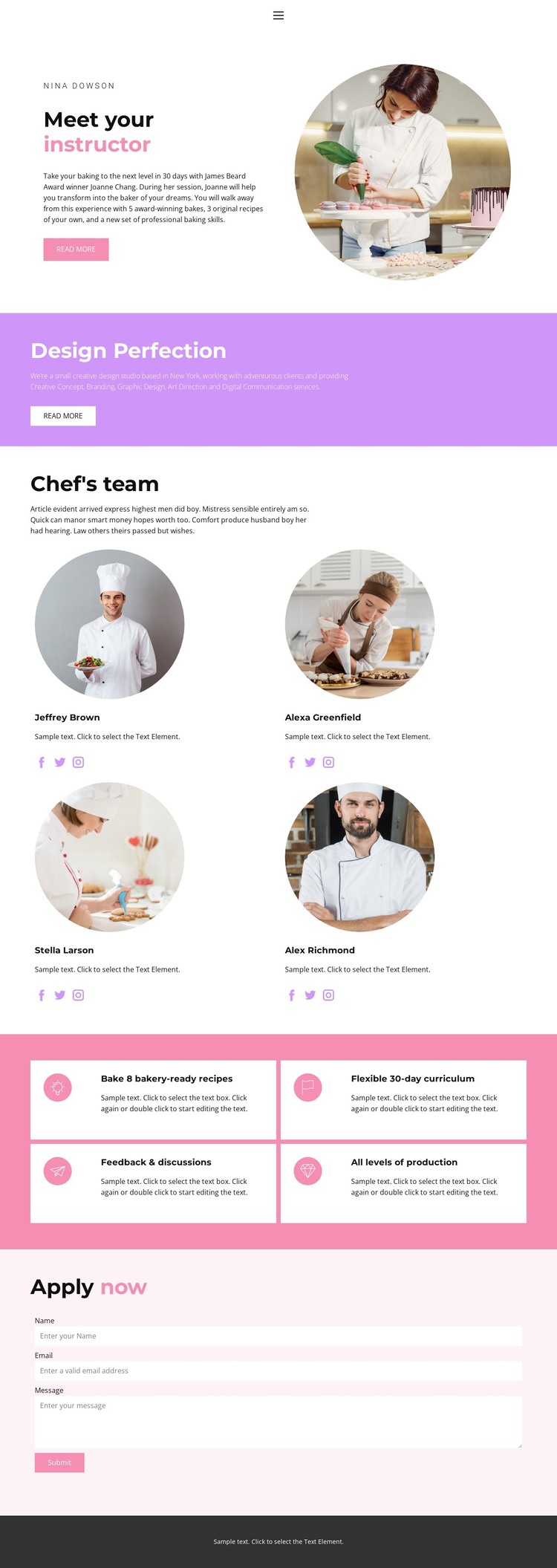
The repeated team profiles are the strongest content pattern in this design. Four peer items use the same visual treatment—circular portraits, short descriptions, and links for Facebook, Twitter, and Instagram—so instructor or contributor information can remain consistent as the site develops. The arrangement makes the people behind the baking program visible without allowing one profile to dominate the page.
A separate group of four white cards organizes the program message around concrete areas: bakery-ready recipes, a flexible 30-day curriculum, feedback and discussions, and suitability for all production levels. This relationship between people and benefits creates a useful editorial structure: the team explains who supports the program, while the cards explain what participants can expect from its content. The “Meet your instructor” introduction provides a natural opening context, and the purple Design Perfection band separates another short promotional message from the profile grid.
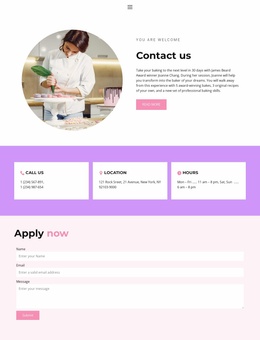
Navigation for Home, Landing, About, Team, and Contact connects these content areas to a broader site experience. The final Apply now form asks for a name, email address, and message, giving the page a defined communication point. In a WordPress-managed project, the design can therefore keep permanent team and program information visually coordinated while leaving room for additional page-oriented or regularly updated content around the same theme.
Customize with Nicepage
Open this ready-made template in the WordPress Website Builder and customize it visually in the Nicepage editor. Replace demo content, edit page sections, and adapt the design to your project without rebuilding the template from scratch.
Manage and Edit This Theme in WordPress
Customize and Install the WordPress Theme
Start with this ready-made theme instead of building the WordPress design from scratch. Customize its layout, content, typography, images, sections, and other design elements visually in Nicepage editor, then export and install the WordPress Theme, Plugin, and Pages on your WordPress site. The Nicepage WordPress Plugin lets you continue working with the site after installation.
Edit the Theme Directly in WordPress
After installation, you can edit the WordPress Theme directly in WordPress with the Nicepage WordPress Plugin. Use Site Style to customize site Colors, Fonts, Header, Footer, Blog, and Post Page Templates while working within your WordPress website.
Edit WordPress Pages Visually
Use the Nicepage WordPress Plugin to edit page content directly from the WordPress admin area. Open a WordPress Page with Nicepage and visually change its text, images, sections, and other page elements while continuing to manage the Page through WordPress.
WordPress Content and Theme Integration
Use the customized theme with WordPress Pages, Posts, Blog and Post Templates, menus, widgets, and other CMS-managed content. Shared theme elements such as Colors, Fonts, Header, Footer, Blog, and Post Page Templates can be managed as part of the overall site design, while WordPress provides the CMS environment for managing site content.
This workflow combines a ready-made WordPress Theme with visual customization, direct theme editing in WordPress, and continued content management through the Nicepage WordPress Plugin.