Consulting firm in Canada WordPress Theme


Stacked Principle Cards for WordPress Page Content
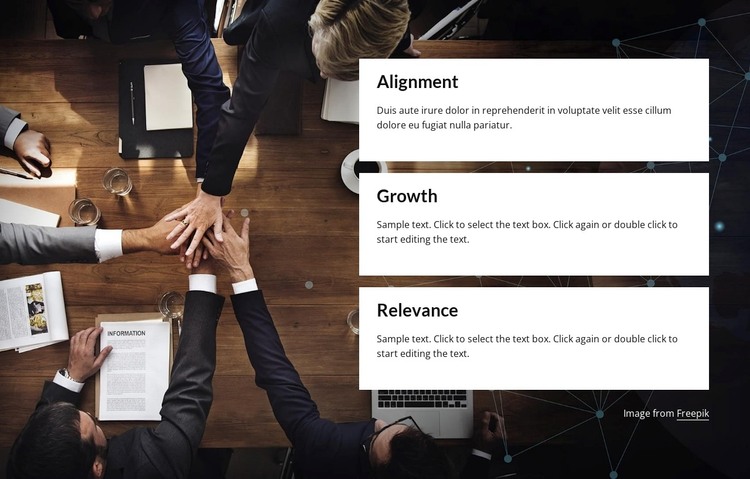
The repeated card structure reads naturally as stable page content: three related explanations are grouped under the labels Alignment, Growth, and Relevance, with each concept given its own white panel. The left-side photograph of people collaborating around a table adds a shared context without competing with the text. This division between a dark visual field and a bright information column makes the section easy to scan and gives the card group a consistent presentation that can remain recognizable when used alongside other page content.
In a WordPress-managed project, the block can provide a permanent features or principles area on a business-oriented page. Its content model is simple to maintain because the three cards follow the same visual pattern while retaining separate headings and descriptions. That makes it suitable for presenting organizational priorities, consulting principles, or another related set of concepts, provided the surrounding page supplies the broader context. The visible copy is currently demonstrative: the Alignment card contains placeholder text beginning with “Duis aute irure,” and the Growth and Relevance cards show sample editing instructions. Those text areas can be replaced with publishable explanations while keeping the image, card order, spacing, and contrast intact. The section therefore works as a focused WordPress page region, not as a complete theme or site structure.
Customize with Nicepage
Open this ready-made template in the WordPress Website Builder and customize it visually in the Nicepage editor. Replace demo content, edit page sections, and adapt the design to your project without rebuilding the template from scratch.
Edit Template Offline
2. Create a new page or select existing
3. Click Add new block, search for id 2766427 and click enter
Edit Template Online
Create Awesome Websites


Free Nicepage Builder
Keywords
Manage and Edit This Theme in WordPress
Customize and Install the WordPress Theme
Start with this ready-made theme instead of building the WordPress design from scratch. Customize its layout, content, typography, images, sections, and other design elements visually in Nicepage editor, then export and install the WordPress Theme, Plugin, and Pages on your WordPress site. The Nicepage WordPress Plugin lets you continue working with the site after installation.
Edit the Theme Directly in WordPress
After installation, you can edit the WordPress Theme directly in WordPress with the Nicepage WordPress Plugin. Use Site Style to customize site Colors, Fonts, Header, Footer, Blog, and Post Page Templates while working within your WordPress website.
Edit WordPress Pages Visually
Use the Nicepage WordPress Plugin to edit page content directly from the WordPress admin area. Open a WordPress Page with Nicepage and visually change its text, images, sections, and other page elements while continuing to manage the Page through WordPress.
WordPress Content and Theme Integration
Use the customized theme with WordPress Pages, Posts, Blog and Post Templates, menus, widgets, and other CMS-managed content. Shared theme elements such as Colors, Fonts, Header, Footer, Blog, and Post Page Templates can be managed as part of the overall site design, while WordPress provides the CMS environment for managing site content.
This workflow combines a ready-made WordPress Theme with visual customization, direct theme editing in WordPress, and continued content management through the Nicepage WordPress Plugin.