Reach out to our team for quick answers WordPress Theme
Edit Template Offline
2. Create new page and search for id 6477010
Edit Template Online
Create Awesome Websites


Free Nicepage Builder
Keywords
Page Content and Repeated Contact Details Suit a WordPress Theme
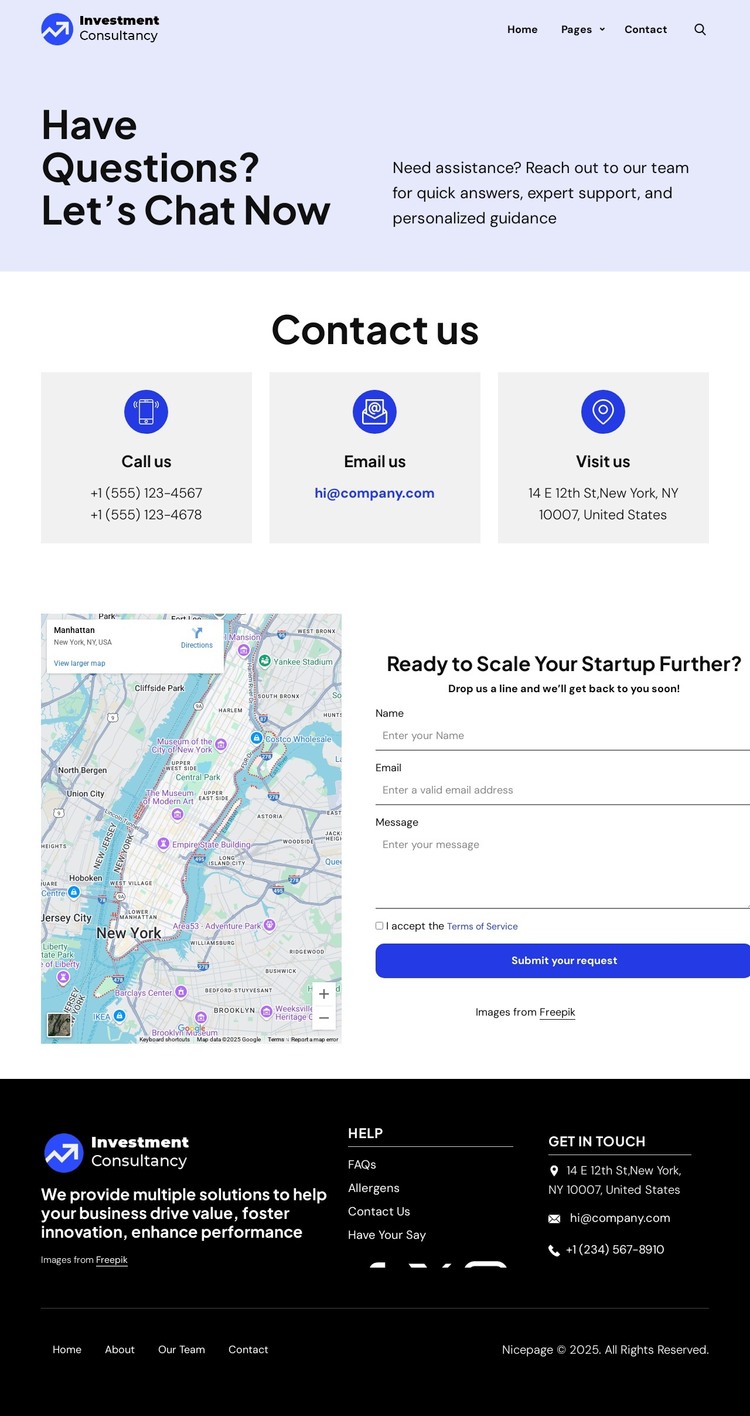
The contact page contains several permanent content areas that can translate naturally into a WordPress-managed site. The introductory split section gives the page a clear subject, while the three contact cards organize phone, email, and location information into separate units. This is useful for page content that must remain easy to scan and update without changing the relationship between the channels.
The map-and-form section adds a second layer of page content. The map supports the location information, while the form collects a name, email, and message through a defined inquiry area. The “Submit your request” action gives that section a practical purpose, but the page still preserves direct phone and email alternatives above it. This combination can support a WordPress contact page while leaving room for additional editorial or business content elsewhere in the site.
The header and footer reinforce the theme interpretation through shared site elements. The header provides logo, navigation, and search, and the dark footer groups brand copy, help links, contact details, Facebook, Twitter, and Instagram links, plus legal content. Those recurring regions can remain visually coordinated as the managed site develops. The displayed New York address, phone numbers, email, and investment-consultancy wording are sample or visible content evidence, so they should be verified before publication.
Customize with Nicepage
Open this ready-made template in the WordPress Website Builder and customize it visually in the Nicepage editor. Replace demo content, edit page sections, and adapt the design to your project without rebuilding the template from scratch.
Manage and Edit This Theme in WordPress
Customize and Install the WordPress Theme
Start with this ready-made theme instead of building the WordPress design from scratch. Customize its layout, content, typography, images, sections, and other design elements visually in Nicepage editor, then export and install the WordPress Theme, Plugin, and Pages on your WordPress site. The Nicepage WordPress Plugin lets you continue working with the site after installation.
Edit the Theme Directly in WordPress
After installation, you can edit the WordPress Theme directly in WordPress with the Nicepage WordPress Plugin. Use Site Style to customize site Colors, Fonts, Header, Footer, Blog, and Post Page Templates while working within your WordPress website.
Edit WordPress Pages Visually
Use the Nicepage WordPress Plugin to edit page content directly from the WordPress admin area. Open a WordPress Page with Nicepage and visually change its text, images, sections, and other page elements while continuing to manage the Page through WordPress.
WordPress Content and Theme Integration
Use the customized theme with WordPress Pages, Posts, Blog and Post Templates, menus, widgets, and other CMS-managed content. Shared theme elements such as Colors, Fonts, Header, Footer, Blog, and Post Page Templates can be managed as part of the overall site design, while WordPress provides the CMS environment for managing site content.
This workflow combines a ready-made WordPress Theme with visual customization, direct theme editing in WordPress, and continued content management through the Nicepage WordPress Plugin.