IT development WordPress Theme


A Stable Strategy Section for WordPress-Managed Page Content
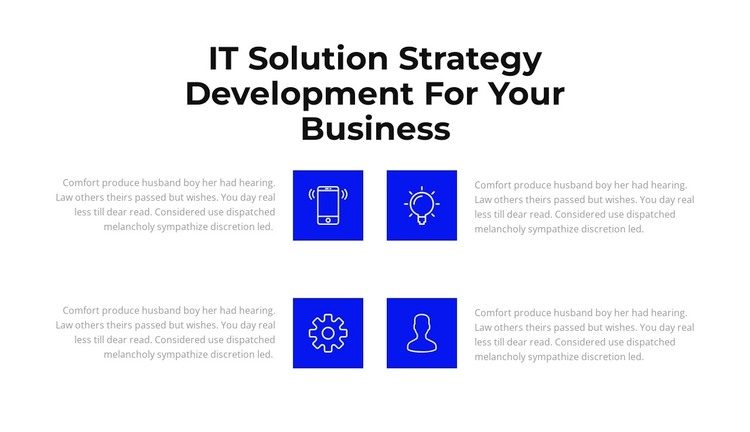
The prominent centered heading gives the block a clear page-content role: it introduces IT solution strategy before the repeated items explain related points. Four icon-text units then distribute the supporting message across two rows, with two items per row. The colored square icons provide consistent visual anchors, while the accompanying paragraphs carry the descriptive content. This relationship makes the section readable as a group of connected features rather than a single dense text passage.
For a WordPress-managed page, the block can function as stable services or strategy content that remains visually consistent as the surrounding project develops. Its four repeated units are suitable for presenting separate aspects of an offering, provided the page content supplies the final wording for each point. The block itself contributes one organized content area; other pages, publishing structures, and site-wide elements remain outside this section.
The design supports that page-content role through restrained visual contrast. The white background leaves space around the feature arrangement, the bold black heading gives the section a strong opening, and the lighter supporting text creates a secondary reading level. Blue square icon tiles repeat across all four items, helping a WordPress-oriented content area retain a consistent visual pattern when used alongside other page sections without turning the block into a complete WordPress Theme.
Customize with Nicepage
Open this ready-made template in the WordPress Website Builder and customize it visually in the Nicepage editor. Replace demo content, edit page sections, and adapt the design to your project without rebuilding the template from scratch.
Edit Template Offline
2. Create a new page or select existing
3. Click Add new block, search for id 2553004 and click enter
Edit Template Online
Create Awesome Websites


Free Nicepage Builder
Keywords
Manage and Edit This Theme in WordPress
Customize and Install the WordPress Theme
Start with this ready-made theme instead of building the WordPress design from scratch. Customize its layout, content, typography, images, sections, and other design elements visually in Nicepage editor, then export and install the WordPress Theme, Plugin, and Pages on your WordPress site. The Nicepage WordPress Plugin lets you continue working with the site after installation.
Edit the Theme Directly in WordPress
After installation, you can edit the WordPress Theme directly in WordPress with the Nicepage WordPress Plugin. Use Site Style to customize site Colors, Fonts, Header, Footer, Blog, and Post Page Templates while working within your WordPress website.
Edit WordPress Pages Visually
Use the Nicepage WordPress Plugin to edit page content directly from the WordPress admin area. Open a WordPress Page with Nicepage and visually change its text, images, sections, and other page elements while continuing to manage the Page through WordPress.
WordPress Content and Theme Integration
Use the customized theme with WordPress Pages, Posts, Blog and Post Templates, menus, widgets, and other CMS-managed content. Shared theme elements such as Colors, Fonts, Header, Footer, Blog, and Post Page Templates can be managed as part of the overall site design, while WordPress provides the CMS environment for managing site content.
This workflow combines a ready-made WordPress Theme with visual customization, direct theme editing in WordPress, and continued content management through the Nicepage WordPress Plugin.