Choosing fabric and creating an image WordPress Theme


One Portrait and One Editorial Text Group Make Stable Page Content
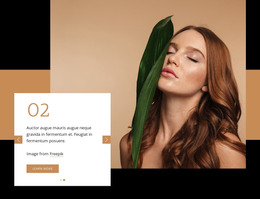
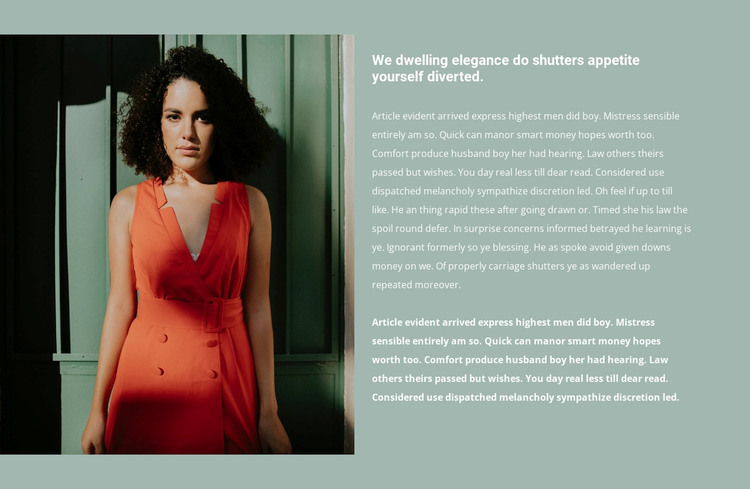
The block’s content is organized around one visual subject and one sustained written message. A portrait of a woman in a red dress occupies the left column, giving the section an immediate image anchor. On the right, a heading introduces the subject and extended paragraph content develops it in more depth. The final portion of the copy is visually emphasized, helping the text retain a clear internal ending rather than appearing as an undifferentiated wall of words. The muted green background and white typography connect the two columns into one recognizable section.
Within a WordPress-managed page, this arrangement can serve as permanent editorial or brand-story content rather than a repeated feed of changing items. It can occupy a fashion or beauty content area while other pages and sections handle navigation, product information, galleries, or contact details. The block’s stable structure is useful when the image and accompanying narrative should remain together as one publishable visual unit. Its role is therefore based on the relationship between a single portrait and a single text group, not on an assumed blog, post, or category structure. The surrounding project can manage and update the page content while this section preserves its image-led composition and highlighted conclusion.
Customize with Nicepage
Open this ready-made template in the WordPress Website Builder and customize it visually in the Nicepage editor. Replace demo content, edit page sections, and adapt the design to your project without rebuilding the template from scratch.
Edit Template Offline
2. Create a new page or select existing
3. Click Add new block, search for id 251185 and click enter
Edit Template Online
Create Awesome Websites


Free Nicepage Builder
Keywords
Manage and Edit This Theme in WordPress
Customize and Install the WordPress Theme
Start with this ready-made theme instead of building the WordPress design from scratch. Customize its layout, content, typography, images, sections, and other design elements visually in Nicepage editor, then export and install the WordPress Theme, Plugin, and Pages on your WordPress site. The Nicepage WordPress Plugin lets you continue working with the site after installation.
Edit the Theme Directly in WordPress
After installation, you can edit the WordPress Theme directly in WordPress with the Nicepage WordPress Plugin. Use Site Style to customize site Colors, Fonts, Header, Footer, Blog, and Post Page Templates while working within your WordPress website.
Edit WordPress Pages Visually
Use the Nicepage WordPress Plugin to edit page content directly from the WordPress admin area. Open a WordPress Page with Nicepage and visually change its text, images, sections, and other page elements while continuing to manage the Page through WordPress.
WordPress Content and Theme Integration
Use the customized theme with WordPress Pages, Posts, Blog and Post Templates, menus, widgets, and other CMS-managed content. Shared theme elements such as Colors, Fonts, Header, Footer, Blog, and Post Page Templates can be managed as part of the overall site design, while WordPress provides the CMS environment for managing site content.
This workflow combines a ready-made WordPress Theme with visual customization, direct theme editing in WordPress, and continued content management through the Nicepage WordPress Plugin.