Make your teaching special WordPress Theme



Stable Learning Content for a WordPress-Managed Page Section
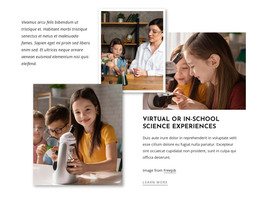
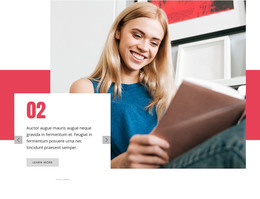
The heading and two labeled panels read as durable page content that can fit naturally within a WordPress-managed educational site. “Innovations in Online Learning” establishes the subject, while “Virtual Classroom” and “Modern Education” provide two concise content categories. Four photographic tiles support the message visually, making the section suitable for presenting related ideas without relying on a changing editorial feed or a separate collection of posts.
The block’s visual organization helps preserve that content role. The centered heading comes first, followed by a two-sided asymmetrical collage in which teal and yellow panels distinguish the concepts among the images. Rounded accent shapes soften the rectangular tile arrangement and create a recognizable treatment that can remain consistent when the section is placed alongside other page content. The “Freepik” link stays with the image area as a source-credit detail.
In a WordPress-oriented project, this block can function as a stable section on an educational or learning-focused page while the wider site manages other content around it. Nicepage’s WordPress Pages workflow offers relevant CMS context, but the block itself remains one visual content region rather than a complete theme. Its practical role is to publish a focused learning message with a consistent heading, paired concepts, and supporting imagery.
Customize with Nicepage
Open this ready-made template in the WordPress Website Builder and customize it visually in the Nicepage editor. Replace demo content, edit page sections, and adapt the design to your project without rebuilding the template from scratch.
Edit Template Offline
2. Create a new page or select existing
3. Click Add new block, search for id 147975 and click enter
Edit Template Online
Create Awesome Websites


Free Nicepage Builder
Keywords
Manage and Edit This Theme in WordPress
Customize and Install the WordPress Theme
Start with this ready-made theme instead of building the WordPress design from scratch. Customize its layout, content, typography, images, sections, and other design elements visually in Nicepage editor, then export and install the WordPress Theme, Plugin, and Pages on your WordPress site. The Nicepage WordPress Plugin lets you continue working with the site after installation.
Edit the Theme Directly in WordPress
After installation, you can edit the WordPress Theme directly in WordPress with the Nicepage WordPress Plugin. Use Site Style to customize site Colors, Fonts, Header, Footer, Blog, and Post Page Templates while working within your WordPress website.
Edit WordPress Pages Visually
Use the Nicepage WordPress Plugin to edit page content directly from the WordPress admin area. Open a WordPress Page with Nicepage and visually change its text, images, sections, and other page elements while continuing to manage the Page through WordPress.
WordPress Content and Theme Integration
Use the customized theme with WordPress Pages, Posts, Blog and Post Templates, menus, widgets, and other CMS-managed content. Shared theme elements such as Colors, Fonts, Header, Footer, Blog, and Post Page Templates can be managed as part of the overall site design, while WordPress provides the CMS environment for managing site content.
This workflow combines a ready-made WordPress Theme with visual customization, direct theme editing in WordPress, and continued content management through the Nicepage WordPress Plugin.