Radio talk show Template


Three Equal Radio Cards Offer a Compact Section Choice
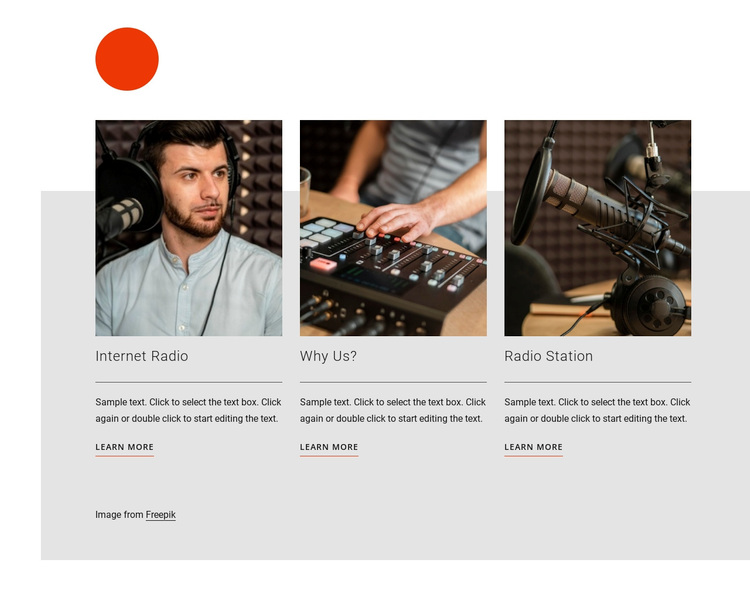
The section combines three facts that make its design direction distinct: a single horizontal row, large photographic images, and repeated topic cards with links. Internet Radio, Why Us?, and Radio Station receive the same visual treatment, so the block suits a page that needs to present several related radio subjects without expanding into a dense grid or long text sequence. The consistent card pattern also keeps comparison straightforward.
The design's visual emphasis comes from the contrast between the cropped photographs and the restrained content beneath them. Headings identify the topics quickly, horizontal dividers create a pause before each description, and the Learn More links finish the cards with a clear continuation point. The small orange circle and orange-accented underlines add recognition without changing the basic offering structure.
This makes the block worth choosing when a project needs a compact services or topic area with equal treatment for three options and enough imagery to give the section presence. It can be adapted to surrounding content while preserving the useful relationship between photograph, explanation, and link. The choice is based on this combination of content coverage and visual rhythm, not on a claim that the block supplies a complete page or site.
Customize with Nicepage
Open this ready-made template in the Template Builder and customize it visually in the Nicepage editor. Replace demo content, edit page sections, and adapt the design to your project without rebuilding the template from scratch.
Edit Template Offline
2. Create a new page or select existing
3. Click Add new block, search for id 385624 and click enter
Edit Template Online
Create Awesome Websites


Free Nicepage Builder
Keywords
Start With a Ready-Made Template
Choose a Design for a New Page
Use a ready-made template as a starting point instead of creating every page from a blank canvas. When adding a new page in Nicepage, browse available designs, compare different layouts, and choose an option that already fits the general purpose and visual direction of your project.
Browse Different Page Designs
Explore Page Designs using search, thematic categories, Design Sets, and full-page previews. The collection includes layouts for different subjects and page purposes, making it easier to compare alternatives before selecting a design to customize.
Customize the Selected Template
After choosing a design, create the page and continue editing it visually in Nicepage. Replace the demo content, adjust images, typography, colors, sections, and other elements, and adapt the ready-made layout to your own content instead of rebuilding the design from the beginning.
Explore More Design Directions
If the first option does not match your project closely enough, return to the design collection and compare other templates before committing to a layout. This makes the template library useful not only for faster page creation, but also for exploring different visual approaches and finding a suitable starting point for a new project.
This workflow gives you access to a broad collection of ready-made designs that can be selected, compared, and customized according to the needs of each new page or project.