Sting Tale Template


Edit Template Offline
2. Create new page and search for id 19530
Edit Template Online
Create Awesome Websites


Free Nicepage Builder
Keywords
Sting’s Music, Film, and Personal Story Share One Editorial Direction
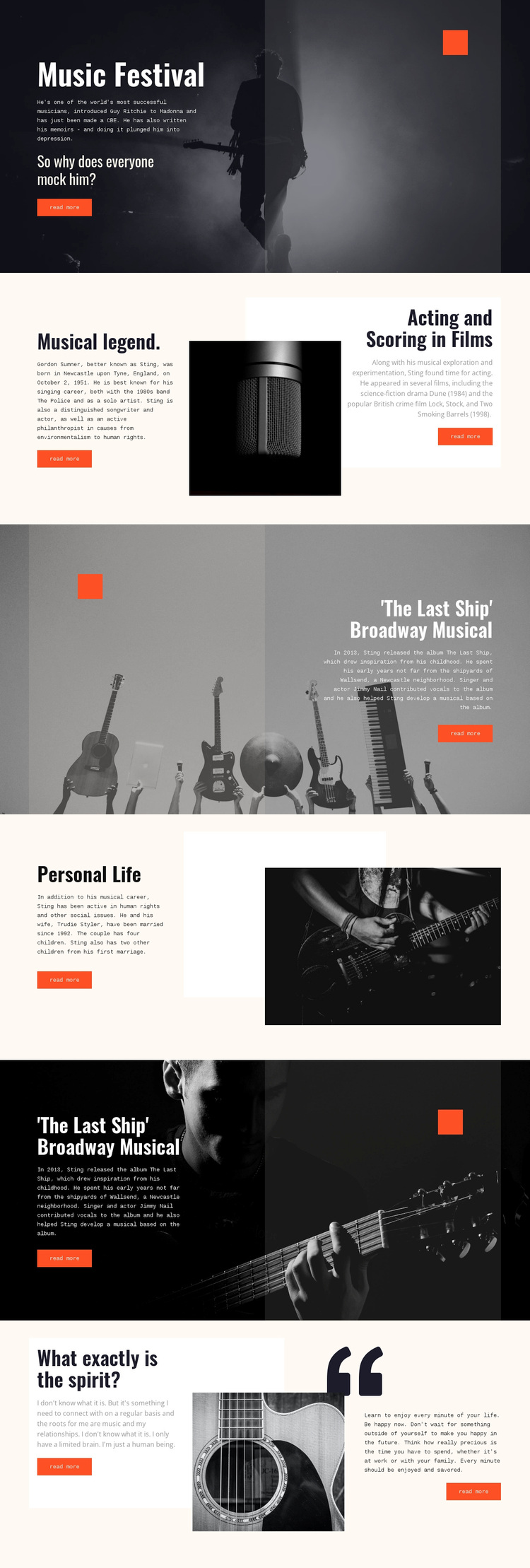
The design is worth choosing when a biography needs more than a plain chronological text page. Its opening hero uses a dark musician photograph and compact white typography to establish a strong visual entrance, while the following Musical legend. section gives Sting’s career, including his work with The Police and as a solo artist, a dedicated editorial setting. The adjacent Acting and Scoring in Films feature adds a second dimension through references to Dune and Lock, Stock, and Two Smoking Barrels.
The Last Ship Broadway Musical receives repeated feature treatment, making the album and musical feel like a central body of work rather than a minor paragraph. Dark image-led sections, orange accents, and performance photography support that emphasis. The design then broadens into Personal Life, where family and social-issues copy sits beside a monochrome portrait. This change keeps the biography from being limited to career achievements alone.
The closing quotation section provides another reason to select this layout. Reflections on music and life are paired with a guitar image, large quotation styling, and generous spacing, creating a quieter ending after the stronger photographic features. Across the page, the combination of music history, acting references, Broadway content, personal context, and visual contrast offers a specific editorial direction. It suits projects that want the subject’s story and imagery to carry equal weight.
Customize with Nicepage
Open this ready-made template in the Template Builder and customize it visually in the Nicepage editor. Replace demo content, edit page sections, and adapt the design to your project without rebuilding the template from scratch.
Start With a Ready-Made Template
Choose a Design for a New Page
Use a ready-made template as a starting point instead of creating every page from a blank canvas. When adding a new page in Nicepage, browse available designs, compare different layouts, and choose an option that already fits the general purpose and visual direction of your project.
Browse Different Page Designs
Explore Page Designs using search, thematic categories, Design Sets, and full-page previews. The collection includes layouts for different subjects and page purposes, making it easier to compare alternatives before selecting a design to customize.
Customize the Selected Template
After choosing a design, create the page and continue editing it visually in Nicepage. Replace the demo content, adjust images, typography, colors, sections, and other elements, and adapt the ready-made layout to your own content instead of rebuilding the design from the beginning.
Explore More Design Directions
If the first option does not match your project closely enough, return to the design collection and compare other templates before committing to a layout. This makes the template library useful not only for faster page creation, but also for exploring different visual approaches and finding a suitable starting point for a new project.
This workflow gives you access to a broad collection of ready-made designs that can be selected, compared, and customized according to the needs of each new page or project.