Dj night website Template


Edit Template Offline
2. Create new page and search for id 359357
Edit Template Online
Create Awesome Websites


Free Nicepage Builder
Keywords
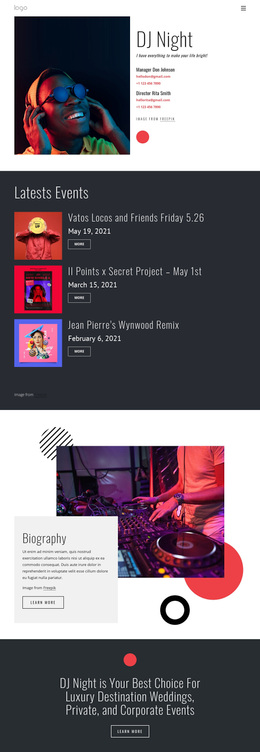
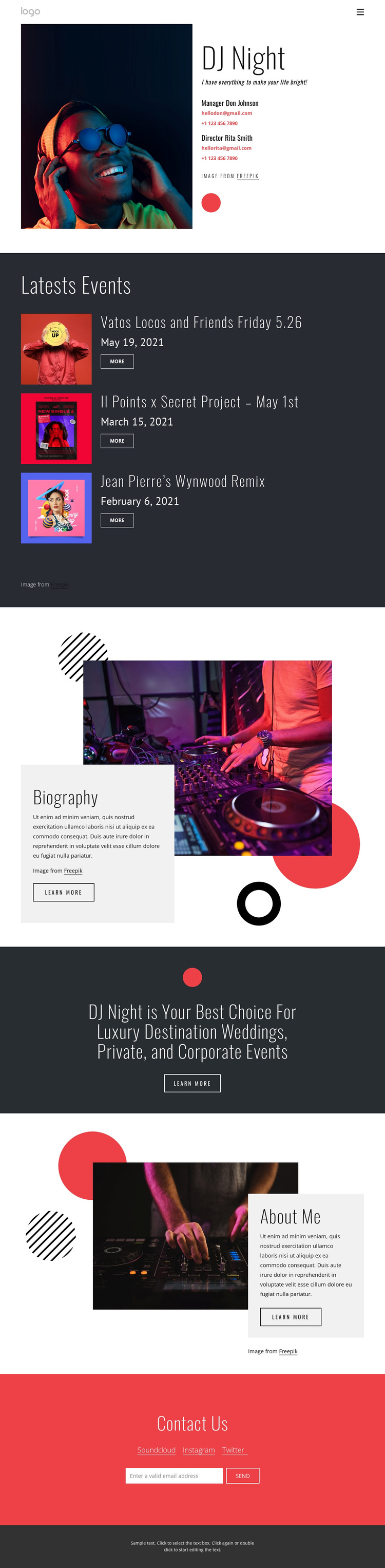
Three Event Cards Give the Music Profile a Practical Focus
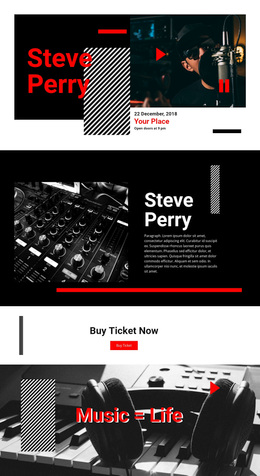
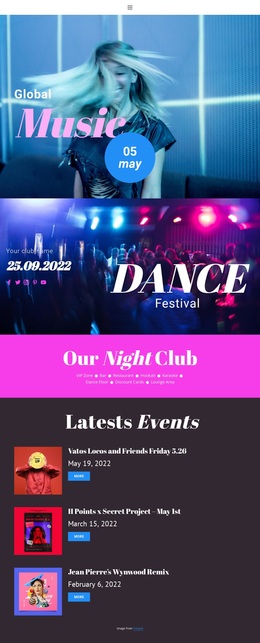
The three repeated event cards are one of the clearest reasons to choose this design. They place dated appearances inside a consistent dark section, using images, titles, and More links to make event activity part of the main story rather than an afterthought. That structure suits projects where the visual energy of a DJ profile needs to be supported by concrete event information.
The design also covers more than listings. The opening split section combines a large music portrait with the DJ Night identity and contact details, creating a strong visual entry point. Biography and About Me sections then provide separate image-and-text areas for personal explanation, while the central promotional statement connects the act to luxury destination weddings, private events, and corporate events. The page therefore supports both personality-led presentation and service-oriented communication.
Its dark charcoal, white, and bright red palette reinforces that choice. Red is reserved for a high-emphasis contact area, while white type and music imagery remain clear against darker surfaces. Soundcloud, Instagram, and Twitter links add recognizable destinations, and the email form gives the page a direct inquiry mechanism. Choose this template when the project needs event storytelling, a visible performer identity, and a compact path from music-focused presentation to event-service communication rather than a layout centered on dense text or product catalogues.
Customize with Nicepage
Open this ready-made template in the Template Builder and customize it visually in the Nicepage editor. Replace demo content, edit page sections, and adapt the design to your project without rebuilding the template from scratch.
Start With a Ready-Made Template
Choose a Design for a New Page
Use a ready-made template as a starting point instead of creating every page from a blank canvas. When adding a new page in Nicepage, browse available designs, compare different layouts, and choose an option that already fits the general purpose and visual direction of your project.
Browse Different Page Designs
Explore Page Designs using search, thematic categories, Design Sets, and full-page previews. The collection includes layouts for different subjects and page purposes, making it easier to compare alternatives before selecting a design to customize.
Customize the Selected Template
After choosing a design, create the page and continue editing it visually in Nicepage. Replace the demo content, adjust images, typography, colors, sections, and other elements, and adapt the ready-made layout to your own content instead of rebuilding the design from the beginning.
Explore More Design Directions
If the first option does not match your project closely enough, return to the design collection and compare other templates before committing to a layout. This makes the template library useful not only for faster page creation, but also for exploring different visual approaches and finding a suitable starting point for a new project.
This workflow gives you access to a broad collection of ready-made designs that can be selected, compared, and customized according to the needs of each new page or project.