The Top Guitar Players Template


Edit Template Offline
2. Create new page and search for id 20369
Edit Template Online
Create Awesome Websites


Free Nicepage Builder
Keywords
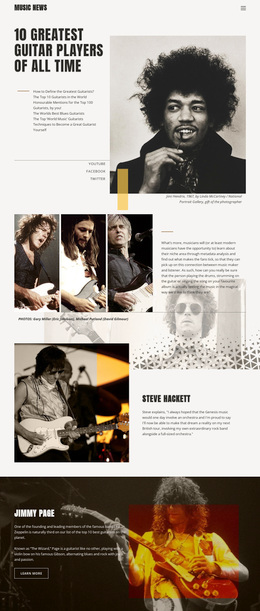
Ranking, Profiles, and Collage Give This Design a Clear Point of View
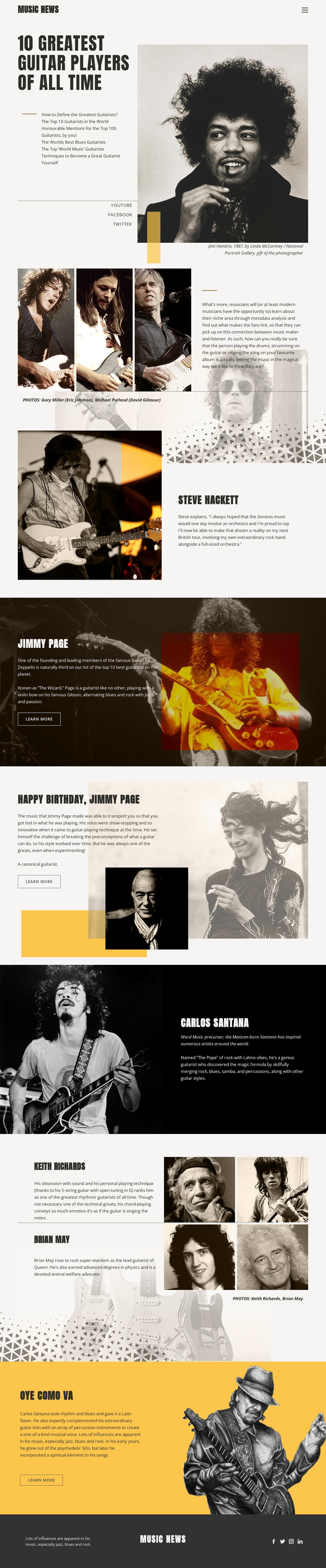
The ranking headline is the strongest reason to choose this design: “10 Greatest Guitar Players of All Time” gives the page an immediate editorial subject instead of leaving the visual direction open-ended. A large Jimi Hendrix portrait and article outline establish the feature as a magazine-style story, while the opening collage expands the introduction into a broader visual treatment with several musician images and commentary. The design therefore places imagery alongside editorial interpretation rather than relying only on text or a standard service-card layout.
Its profile coverage adds further distinction. Steve Hackett is given an offset image-and-text presentation; Jimmy Page receives both a dark photographic feature and a layered birthday section; Carlos Santana appears in two different arrangements, including the closing “Oye como va” feature. Keith Richards and Brian May are combined within a separate collage-led section, creating a sense of breadth across the article. Warm cream backgrounds, black panels, yellow accent blocks, bold condensed typography, thin rules, and generous spacing reinforce the publication identity across these changes in subject. For a project aimed at music fans or guitar enthusiasts, this combination makes the template a useful choice when visual storytelling, named profiles, and editorial contrast should carry more weight than dense corporate explanation. Social links and image credits support the impression of an established magazine-style presentation.
Customize with Nicepage
Open this ready-made template in the Template Builder and customize it visually in the Nicepage editor. Replace demo content, edit page sections, and adapt the design to your project without rebuilding the template from scratch.
Start With a Ready-Made Template
Choose a Design for a New Page
Use a ready-made template as a starting point instead of creating every page from a blank canvas. When adding a new page in Nicepage, browse available designs, compare different layouts, and choose an option that already fits the general purpose and visual direction of your project.
Browse Different Page Designs
Explore Page Designs using search, thematic categories, Design Sets, and full-page previews. The collection includes layouts for different subjects and page purposes, making it easier to compare alternatives before selecting a design to customize.
Customize the Selected Template
After choosing a design, create the page and continue editing it visually in Nicepage. Replace the demo content, adjust images, typography, colors, sections, and other elements, and adapt the ready-made layout to your own content instead of rebuilding the design from the beginning.
Explore More Design Directions
If the first option does not match your project closely enough, return to the design collection and compare other templates before committing to a layout. This makes the template library useful not only for faster page creation, but also for exploring different visual approaches and finding a suitable starting point for a new project.
This workflow gives you access to a broad collection of ready-made designs that can be selected, compared, and customized according to the needs of each new page or project.