Beats Wireless Template


Edit Template Offline
2. Create new page and search for id 24285
Edit Template Online
Create Awesome Websites


Free Nicepage Builder
Keywords
Editorial Review Coverage Anchored by a Recognizable Audio Product
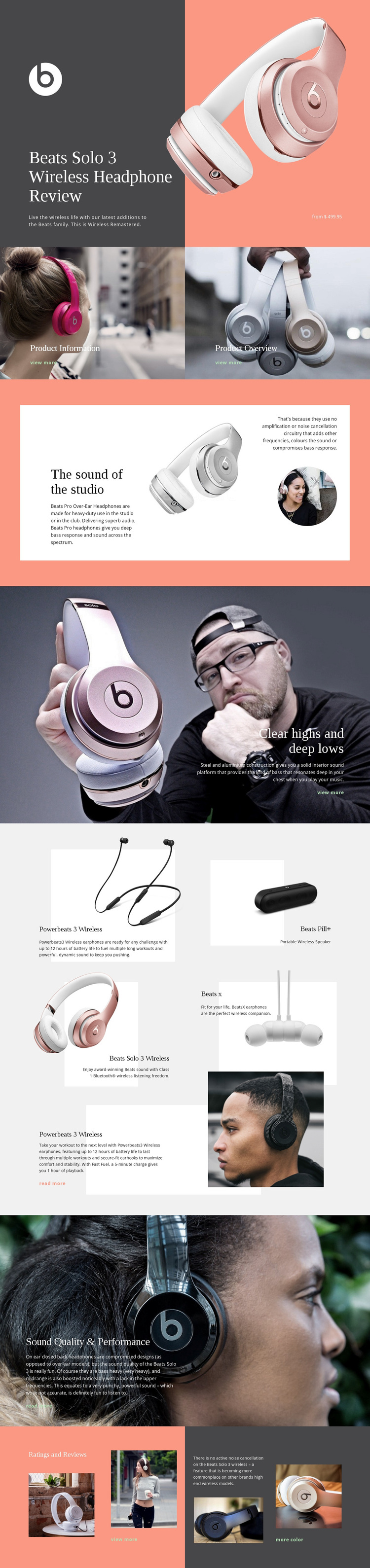
The featured Beats Solo 3 Wireless hero gives this design an immediate subject and a clear editorial direction. A large product image is balanced against a dark panel containing the brand mark, review title, summary, and displayed price, so the page communicates both product identity and review context at the start. The coral, charcoal, white, and muted gray palette reinforces that presentation without making the page depend on dense technical copy.
Several content relationships make the design useful as a ready-made option for audio projects. Product Information and Product Overview appear as two image-led tiles, creating compact entry points after the introduction. The split studio-sound section then adds explanatory depth through text, product imagery, and a circular portrait. A full-width section about clear highs and deep lows broadens the review toward construction and bass response, while the Sound Quality & Performance section returns to commentary over lifestyle photography.
The five related-product cards are another reason to choose this layout when the project needs more than a single-item presentation. Powerbeats 3 Wireless, Beats Pill+, Beats Solo 3 Wireless, and Beats X appear within a repeated product display, and the closing Ratings and Reviews area adds rating imagery, noise-cancellation commentary, photographs, and links. The combination of strong visual identity, review-oriented coverage, and related-product context distinguishes this template from layouts built only around a product catalog or a short promotional hero.
Customize with Nicepage
Open this ready-made template in the Template Builder and customize it visually in the Nicepage editor. Replace demo content, edit page sections, and adapt the design to your project without rebuilding the template from scratch.
Start With a Ready-Made Template
Choose a Design for a New Page
Use a ready-made template as a starting point instead of creating every page from a blank canvas. When adding a new page in Nicepage, browse available designs, compare different layouts, and choose an option that already fits the general purpose and visual direction of your project.
Browse Different Page Designs
Explore Page Designs using search, thematic categories, Design Sets, and full-page previews. The collection includes layouts for different subjects and page purposes, making it easier to compare alternatives before selecting a design to customize.
Customize the Selected Template
After choosing a design, create the page and continue editing it visually in Nicepage. Replace the demo content, adjust images, typography, colors, sections, and other elements, and adapt the ready-made layout to your own content instead of rebuilding the design from the beginning.
Explore More Design Directions
If the first option does not match your project closely enough, return to the design collection and compare other templates before committing to a layout. This makes the template library useful not only for faster page creation, but also for exploring different visual approaches and finding a suitable starting point for a new project.
This workflow gives you access to a broad collection of ready-made designs that can be selected, compared, and customized according to the needs of each new page or project.