Online Cinema Movies Template


Edit Template Offline
2. Create new page and search for id 6637729
Edit Template Online
Create Awesome Websites


Free Nicepage Builder
Keywords
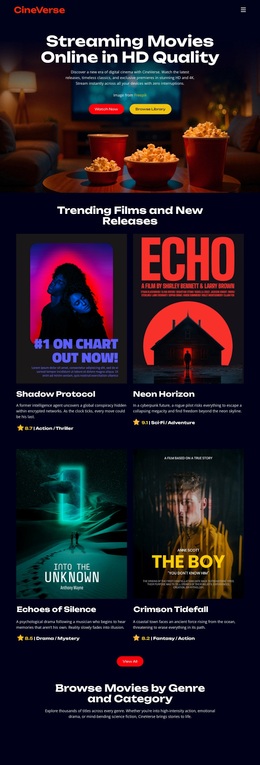
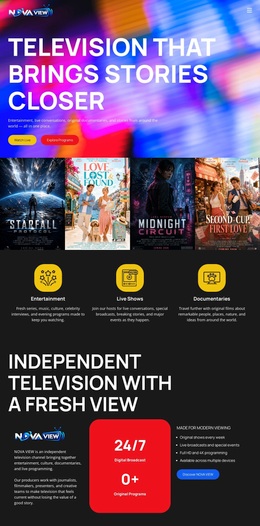
Four Poster Cards Give the Streaming Concept Immediate Shape
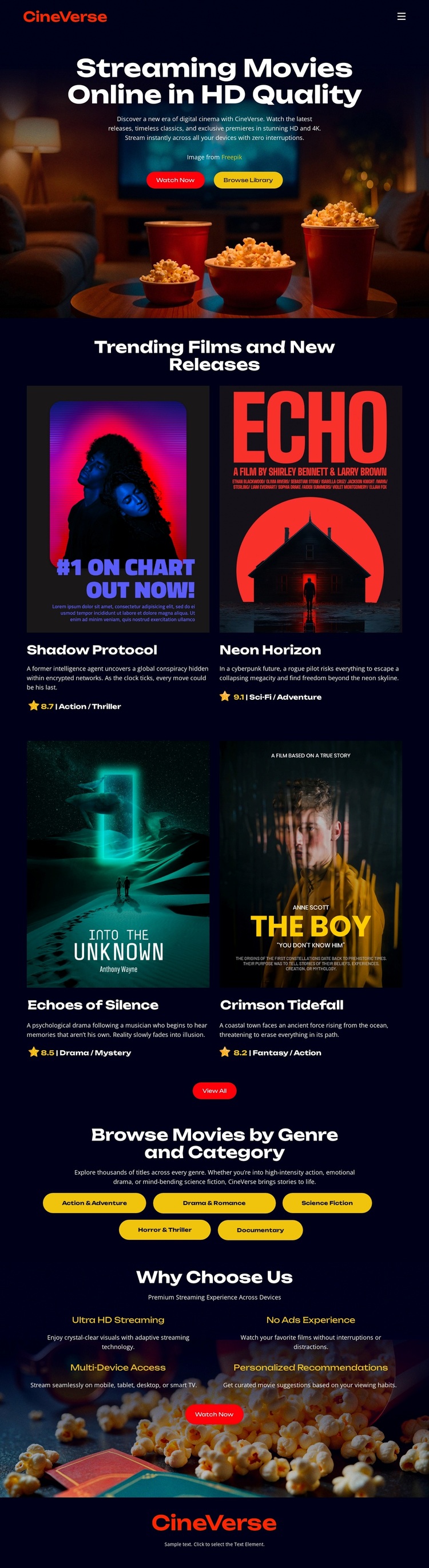
Movie discovery is the design’s strongest organizing idea. The hero states the streaming proposition in a cinematic setting, then the four repeated movie cards make that proposition tangible through poster artwork, titles, genre labels, and release or feature metadata. This combination suits projects where visual examples should carry as much of the message as explanatory copy. The page does not depend on a dense catalog display; it presents a focused selection that can introduce the character of a larger movie library.
The five category controls add useful content coverage without changing that emphasis. Action & Adventure, Drama & Romance, Sci-Fi & Fantasy, Horror & Thriller, and Documentary show that the layout can speak to varied viewing preferences while keeping browsing visually compact. The three service benefits add a second reason to choose this direction: Ultra HD Streaming, No Ads Experience, and Multi-Device Access describe the intended experience around the featured content. Theater imagery appears both at the beginning and near the final Watch Now prompt, giving the page a memorable visual thread from first impression to closing action. Among ready-made design options, this template is most distinctive when a project needs a dark entertainment atmosphere, strong poster-led storytelling, recognizable genre coverage, and a clear path from film discovery to viewing.
Customize with Nicepage
Open this ready-made template in the Template Builder and customize it visually in the Nicepage editor. Replace demo content, edit page sections, and adapt the design to your project without rebuilding the template from scratch.
Start With a Ready-Made Template
Choose a Design for a New Page
Use a ready-made template as a starting point instead of creating every page from a blank canvas. When adding a new page in Nicepage, browse available designs, compare different layouts, and choose an option that already fits the general purpose and visual direction of your project.
Browse Different Page Designs
Explore Page Designs using search, thematic categories, Design Sets, and full-page previews. The collection includes layouts for different subjects and page purposes, making it easier to compare alternatives before selecting a design to customize.
Customize the Selected Template
After choosing a design, create the page and continue editing it visually in Nicepage. Replace the demo content, adjust images, typography, colors, sections, and other elements, and adapt the ready-made layout to your own content instead of rebuilding the design from the beginning.
Explore More Design Directions
If the first option does not match your project closely enough, return to the design collection and compare other templates before committing to a layout. This makes the template library useful not only for faster page creation, but also for exploring different visual approaches and finding a suitable starting point for a new project.
This workflow gives you access to a broad collection of ready-made designs that can be selected, compared, and customized according to the needs of each new page or project.