Musical explosion Template



Edit Template Offline
2. Create new page and search for id 1305316
Edit Template Online
Create Awesome Websites


Free Nicepage Builder
Keywords
Neon Event Storytelling Covers the Full Club Experience
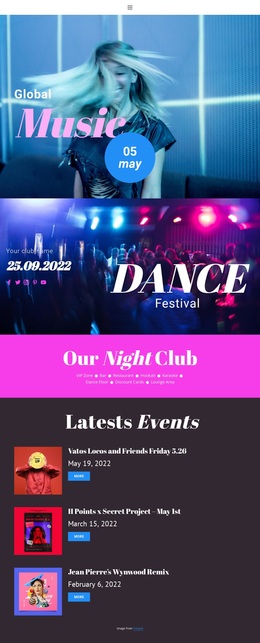
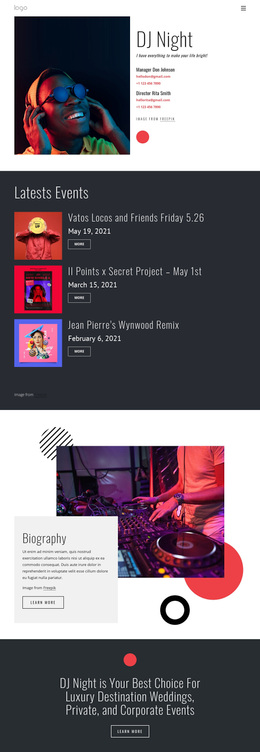
Large performer imagery, intense neon color blocks, and oversized event lettering make this design a strong option for nightlife projects that need atmosphere before explanation. The Global Music hero immediately establishes a music-led direction, while the Dance Festival banner adds a second event treatment with social links and a prominent title. Together, these opening sections make visual energy the main carrier of the message rather than relying on dense introductory copy.
The design is also distinctive because it covers both the venue and its programming. A bright amenities section names the VIP Zone, Bar, Restaurant, Hookah, Karaoke, Dance Floor, Discount Cards, and Lounge Area, giving visitors a compact view of the club experience. Three repeated event cards then create room for event discovery, while the Next Level Entertainment collage and performer galleries add photographic proof of the atmosphere and talent.
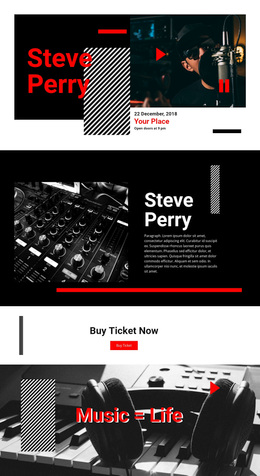
A featured Festivals & Shows block with a Buy ticket action extends the design beyond general branding into a concrete event response. The closing party-booking section adds another practical use case for reservations and private celebrations. This combination suits clubs, festival organizers, music venues, and entertainment projects that want one visual direction to present their identity, amenities, programming, performers, ticket opportunity, and booking route.
Customize with Nicepage
Open this ready-made template in the Template Builder and customize it visually in the Nicepage editor. Replace demo content, edit page sections, and adapt the design to your project without rebuilding the template from scratch.
Start With a Ready-Made Template
Choose a Design for a New Page
Use a ready-made template as a starting point instead of creating every page from a blank canvas. When adding a new page in Nicepage, browse available designs, compare different layouts, and choose an option that already fits the general purpose and visual direction of your project.
Browse Different Page Designs
Explore Page Designs using search, thematic categories, Design Sets, and full-page previews. The collection includes layouts for different subjects and page purposes, making it easier to compare alternatives before selecting a design to customize.
Customize the Selected Template
After choosing a design, create the page and continue editing it visually in Nicepage. Replace the demo content, adjust images, typography, colors, sections, and other elements, and adapt the ready-made layout to your own content instead of rebuilding the design from the beginning.
Explore More Design Directions
If the first option does not match your project closely enough, return to the design collection and compare other templates before committing to a layout. This makes the template library useful not only for faster page creation, but also for exploring different visual approaches and finding a suitable starting point for a new project.
This workflow gives you access to a broad collection of ready-made designs that can be selected, compared, and customized according to the needs of each new page or project.