Legendary Sounds Template



Edit Template Offline
2. Create new page and search for id 24176
Edit Template Online
Create Awesome Websites


Free Nicepage Builder
Keywords
A Beatles Tribute Built Around Chronology and Cultural Detail
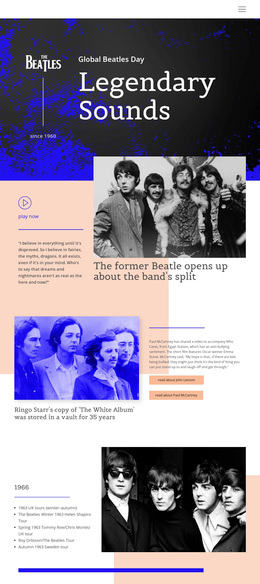
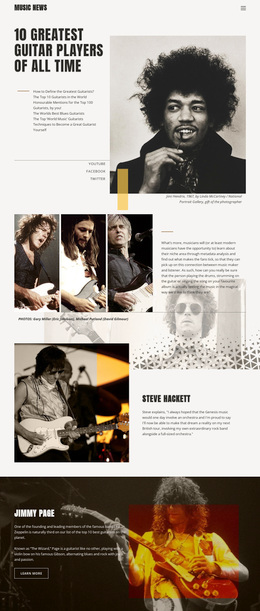
The design’s strongest distinguishing feature is the way it combines broad Beatles context with specific historical and musical entries. The hero introduces the band through Global Beatles Day, the since-1960 marker, the logo, and a large editorial title. Instead of moving directly into generic biography copy, the page follows with a featured story about the band’s split, artist links for John Lennon and Paul McCartney, and a separate tour chronology.
The live-performance overview makes the layout especially suitable for projects that need to present music history in an organized visual form. Four year columns cover 1963 through 1966, while the nearby 1966 split section pairs a tour list with an archival band photograph. The Yellow Submarine feature adds a different kind of evidence: song title, Lennon–McCartney attribution, commentary, and lyrics. Awards and achievements then broaden the page from performance history to legacy, and the three-slide Beatles Quotes carousel introduces a more personal editorial voice.
This combination makes Legendary Sounds worth choosing when imagery, chronology, quotations, and song-focused content should share one presentation. It is not centered only on service cards, a commercial offer, or a single promotional statement. Its value comes from giving fans and readers several connected ways to understand the same subject while maintaining a recognizable retro music-editorial character from hero to footer.
Customize with Nicepage
Open this ready-made template in the Template Builder and customize it visually in the Nicepage editor. Replace demo content, edit page sections, and adapt the design to your project without rebuilding the template from scratch.
Start With a Ready-Made Template
Choose a Design for a New Page
Use a ready-made template as a starting point instead of creating every page from a blank canvas. When adding a new page in Nicepage, browse available designs, compare different layouts, and choose an option that already fits the general purpose and visual direction of your project.
Browse Different Page Designs
Explore Page Designs using search, thematic categories, Design Sets, and full-page previews. The collection includes layouts for different subjects and page purposes, making it easier to compare alternatives before selecting a design to customize.
Customize the Selected Template
After choosing a design, create the page and continue editing it visually in Nicepage. Replace the demo content, adjust images, typography, colors, sections, and other elements, and adapt the ready-made layout to your own content instead of rebuilding the design from the beginning.
Explore More Design Directions
If the first option does not match your project closely enough, return to the design collection and compare other templates before committing to a layout. This makes the template library useful not only for faster page creation, but also for exploring different visual approaches and finding a suitable starting point for a new project.
This workflow gives you access to a broad collection of ready-made designs that can be selected, compared, and customized according to the needs of each new page or project.