Social Joomla Templates
-

-

-
-
-
-
-
-
-
-
-
-
-
-
-
-
-
-
-
-
-
-
-
-
-
-
-
-
-
-
-
-
-
-
-
-
-
-
-
-
-
Free Website Builder SoftwareDownload
-
-
-
-
-
-
-
-
-
-
-
-
-
-
-
-
-
-
-
-
-
-
-
-
-
-
-


















































Professional Social Joomla Templates for Community Websites
Social Joomla templates are useful when a Joomla project needs more than a row of social-media icons. A community-oriented site may combine member profiles, activity feeds, groups, discussions, media, and account areas with public pages that introduce the community. Extensions such as JomSocial or EasySocial can provide the member-facing functionality, while the template establishes the visual structure around it.
Nicepage can support the public-facing design side of that project with adaptable page sections, including social links and calls to join or follow the community. The important distinction is practical: profile links connect visitors to external networks, while a community website also needs places for members to interact with one another.
Plan Pages for a Joomla Social Community
A social or community Joomla project can require several page types rather than one universal block. Depending on the project and installed community extension, the design may need space for:
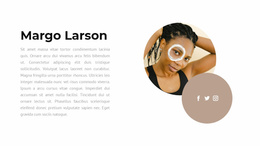
- member profiles with identity, avatar, biography, and activity context;
- activity feeds for recent posts, updates, or community events;
- groups and discussion areas for topic-based participation;
- media or gallery pages when members share visual content;
- login, registration, and account areas for member access.
Public-facing pages can then add external profile links, follow prompts, or sharing actions without confusing them with the community's internal member experience.
For a platform-specific direction, Instagram section ideas can illustrate how a prominent profile connection fits inside a focused Social block.
Connect Public Social Channels with Community Content
External networks can still play a useful supporting role. A Joomla community homepage, creator page, or campaign page may connect the site's own member experience with established social channels.
Useful supporting content can include:
- platform icons with destination links;
- one or more social profile handles;
- a short follow or community prompt;
- a sharing action where distribution is the main goal;
- supporting text that gives the social links context.
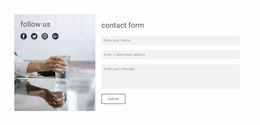
For public-facing pages, Nicepage's Social Icons Element can provide supporting links to external channels. Icon size and spacing can be adapted without making those links the center of the community experience. See the Social Icons documentation for the product-specific workflow.
The section should remain recognizably social. Mixing platform links with long descriptions, general contact information, unrelated buttons, and partner logos can blur the block's purpose. Keeping those elements separate makes the follow-or-share path easier to identify.
Using Community Pages in a Joomla Workflow
The Joomla context affects how the public design fits with the community functionality the project uses. Keep the visual language consistent across introductory pages, member-oriented screens, and supporting social connections.
When adapting the design for a Joomla-oriented Nicepage project, focus on:
- establishing a consistent visual direction for public and community-facing pages;
- leaving clear space for profiles, feeds, groups, registration, and account actions;
- using external social links only where they support the member journey;
- checking dense community layouts at narrower widths;
- integrating the finished public-facing design into the broader Joomla project workflow.
Nicepage supports a Joomla Extension for its Joomla workflow. Template-level work and article editing should not be treated as the same process: Nicepage themes can be exported from the Desktop Application or Online Builder. In contrast, you don't edit themes directly in Joomla. The Joomla Extension installation guide covers the relevant installation process.
For sections where content distribution is more important than profile following, share design ideas provide another relevant functional direction.
Keep Community Layouts Usable Across Screen Sizes
Community pages can become dense quickly because profiles, feeds, media, navigation, and actions often appear together. On narrower screens, prioritize the member task rather than preserving every desktop relationship unchanged. Typical layout decisions include:
- keeping profile identity visible before secondary profile details;
- stacking feed cards into a readable single-column flow;
- making join, follow, message, or group actions easy to find;
- reducing crowded side content when space becomes limited;
- keeping external social links available without letting them dominate member navigation.
The result should feel like one coherent community experience, not a collection of unrelated widgets.
Social Joomla Template Questions
What Content Can a Joomla Social Template Cover?
It can account for public community pages, member profiles, activity feeds, groups, registration or account areas, and supporting external social links. The exact live community functionality depends on the Joomla solution used by the project.
Can I add a social network that is not represented by the existing icons?
Nicepage supports custom icons for the Social Icons Element. This lets you use an appropriate uploaded social icon and set its destination link when the the existing options don't represent the required platform-- a-end -->
Can I edit a complete Nicepage theme directly inside Joomla?
No. Nicepage can export Joomla themes from the Desktop Application and Online Builder, but themes are not edited directly inside Joomla. The Joomla Extension supports the Joomla-related editing workflow described in Nicepage documentation.
Can a Joomla Social Template Include Community Profiles and Feeds?
Yes, the visual design can account for profile, feed, group, and community-page layouts. The live member functionality depends on the Joomla community solution used for the project, such as JomSocial or EasySocial.
Are Social Icons Still Useful on a Joomla Community Site?
Yes. They work well as supporting links to external channels, while the site's member profiles, feeds, and groups remain part of the internal community experience.
Adapt a Social Joomla Template to the Community Journey
Start with the community experience the project needs to support. Then:
- identify the priority public, profile, feed, group, and account pages;
- keep member actions clear when layouts become content-dense;
- adapt the visual system across public and community-facing screens;
- add external social destinations where they genuinely support discovery or follow-up;
- continue through the supported Joomla workflow.
The result should read as one social or community website, with Social Icons acting as a useful supporting feature rather than the definition of the template.