Enjoy your breakfast Website Template


A focused breakfast section can anchor one area of a broader site project
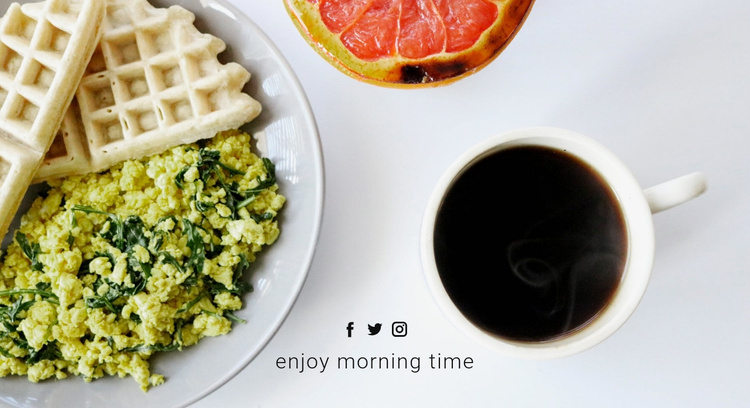
The block already defines one stable content area: a breakfast introduction built around a full-width photograph of waffles, scrambled eggs, grapefruit, and coffee. The image gives the section a clear subject that can be used for a food-related page, while the lower group of three social media icons and the centered heading “enjoy morning time” adds a compact identity detail.
Within a broader Website Template project, this section could occupy one thematic role while other blocks handle menu information, food categories, brand story, gallery content, or contact details. Its value is not that it contains the whole site structure; it is that the content and visual logic are self-contained enough to be reused as one recognizable part of a larger arrangement.
The centered lower alignment also offers a repeatable pattern for related design work. A project could coordinate the section with other image-led areas through similar spacing, restrained typography, or social-link treatment without copying the breakfast content everywhere. Since the block is static, surrounding pages and sections remain responsible for navigation, deeper information, and any action-oriented features. This keeps the breakfast image and its short heading focused on the role they actually perform.
Customize with Nicepage
Open this ready-made template in the Website Template Builder and customize it visually in the Nicepage editor. Replace demo content, edit page sections, and adapt the design to your project without rebuilding the template from scratch.
Edit Template Offline
2. Create a new page or select existing
3. Click Add new block, search for id 66078 and click enter
Edit Template Online
Create Awesome Websites


Free Nicepage Builder
Keywords
Use This Block in a Broader Website Template Project
Treat the Block as One Reusable Site Section
A website project is assembled from multiple pages and sections. The analyzed block provides one reusable content area—such as services, About, testimonials, pricing, gallery, team, or contact—while the rest of the site supplies other page-level functions.
Coordinate the Section With Other Pages
Use the Pages panel to manage the pages of the broader project. The block can remain one consistent section pattern while related pages add deeper information or different content without implying that the Block ID itself contains those pages.
Expand With Matching Designs
When additional pages or sections are needed, Page Design Sets can help locate matching Page and Block Designs. This can extend the visual direction around the existing block while keeping the site's other content areas separate.
This workflow treats the block as a reusable building unit inside a larger Website Template project, not as a complete website foundation on its own.