Children's rooms WordPress Theme


Numbered Room Guidance for a Stable Page Section
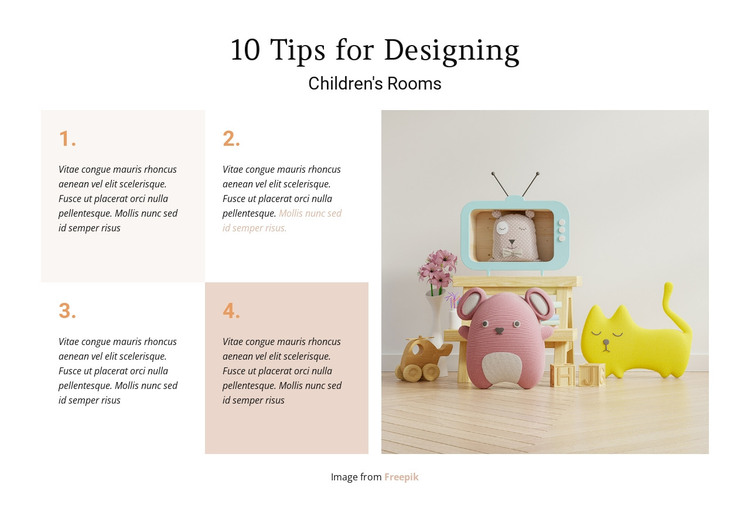
The four numbered entries make this block read as durable informational content rather than a single promotional statement. Their two-by-two arrangement creates a compact group of related tips, and the alternating pale beige and peach backgrounds help a reader identify each item as a separate point. Because the descriptions are demo-style filler, the same card structure can accommodate revised wording while preserving the section's numbered logic and visual balance.
The heading, “10 Tips for Designing Children's Rooms,” gives the content a clear subject before the reader reaches the cards. Beside them, the large rectangular photograph adds a concrete interior reference: toys, a small television, and a pale wood floor establish the setting visually without turning the image into another text item. Centered black typography and generous white space keep the hierarchy calm, while compact italic copy supports quick reading.
Within a WordPress-managed page, this block can work as stable services, advice, or editorial-style content related to children's room design. Its permanent section role is different from regularly changing posts: the four numbered units present a defined topic that can remain consistent as the wider site develops. The image-and-card split also gives the page a recognizable content region that can sit among other sections. WordPress can manage the surrounding page and its broader content, while this reusable block retains its own heading, repeated entries, visual pattern, and supporting photograph.
Customize with Nicepage
Open this ready-made template in the WordPress Website Builder and customize it visually in the Nicepage editor. Replace demo content, edit page sections, and adapt the design to your project without rebuilding the template from scratch.
Edit Template Offline
2. Create a new page or select existing
3. Click Add new block, search for id 90538 and click enter
Edit Template Online
Create Awesome Websites


Free Nicepage Builder
Keywords
Manage and Edit This Theme in WordPress
Customize and Install the WordPress Theme
Start with this ready-made theme instead of building the WordPress design from scratch. Customize its layout, content, typography, images, sections, and other design elements visually in Nicepage editor, then export and install the WordPress Theme, Plugin, and Pages on your WordPress site. The Nicepage WordPress Plugin lets you continue working with the site after installation.
Edit the Theme Directly in WordPress
After installation, you can edit the WordPress Theme directly in WordPress with the Nicepage WordPress Plugin. Use Site Style to customize site Colors, Fonts, Header, Footer, Blog, and Post Page Templates while working within your WordPress website.
Edit WordPress Pages Visually
Use the Nicepage WordPress Plugin to edit page content directly from the WordPress admin area. Open a WordPress Page with Nicepage and visually change its text, images, sections, and other page elements while continuing to manage the Page through WordPress.
WordPress Content and Theme Integration
Use the customized theme with WordPress Pages, Posts, Blog and Post Templates, menus, widgets, and other CMS-managed content. Shared theme elements such as Colors, Fonts, Header, Footer, Blog, and Post Page Templates can be managed as part of the overall site design, while WordPress provides the CMS environment for managing site content.
This workflow combines a ready-made WordPress Theme with visual customization, direct theme editing in WordPress, and continued content management through the Nicepage WordPress Plugin.