Great projects, high quality WordPress Theme
Edit Template Offline
2. Create new page and search for id 12368
Edit Template Online
Create Awesome Websites


Free Nicepage Builder
Keywords
Project pages and editorial content share one visual direction
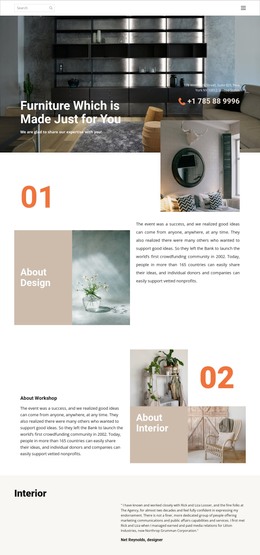
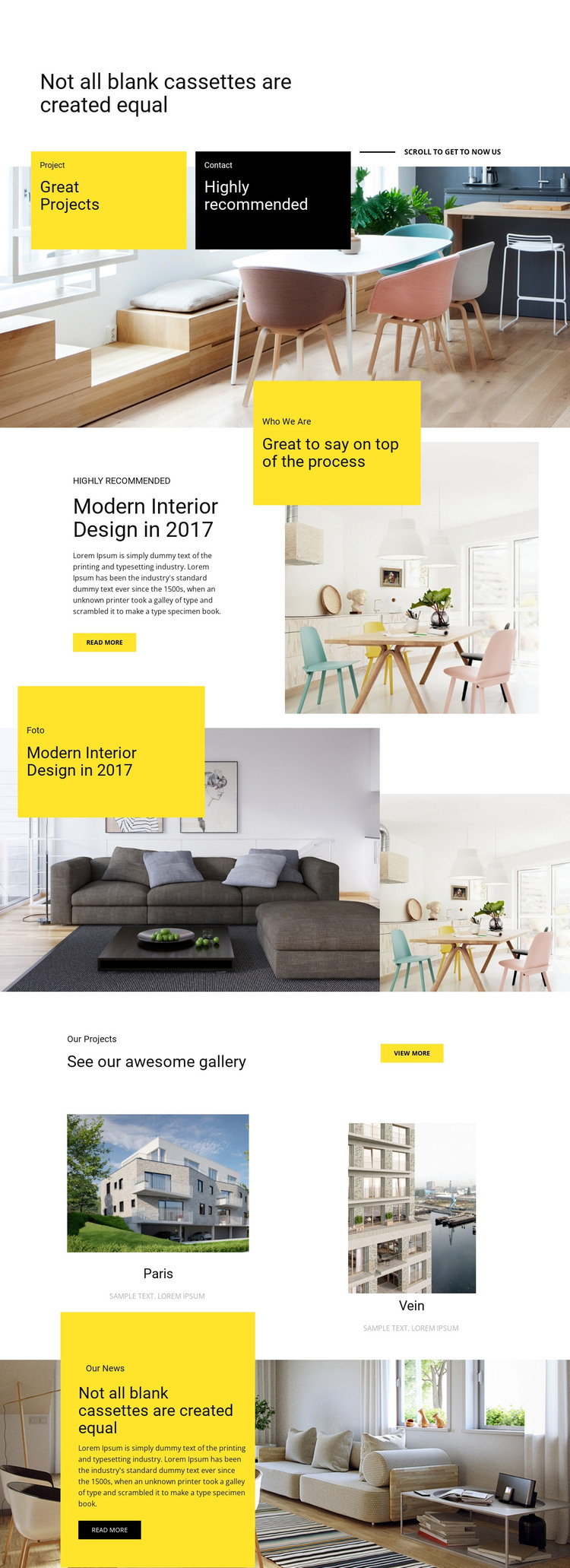
The design's strongest WordPress interpretation comes from the distinction between lasting portfolio content and material that can be expanded over time. The opening, Who We Are area, featured project, and contact-labeled panel provide clear page-oriented content zones for presenting the studio and its work. Their image-and-text relationships are already defined, so permanent information can remain visually connected to the portfolio rather than appearing as unrelated content.
The two labeled gallery entries form a compact project showcase, while the View More action points toward the possibility of additional project presentation without claiming that more entries already exist. The separate Our News section offers a different content role: an article-style title, description, background image, and Read More action can support regularly updated editorial material while preserving the same design character. This relationship between selected work and news is more useful than simply attaching a CMS name to the page.
The bold yellow panels, large typography, and muted interior photography can continue across related WordPress-managed content as a shared theme direction. Nicepage's WordPress Plugin is a relevant bridge when the project needs visual editing within WordPress, but the template-specific value comes first from its organized project, gallery, contact, and news areas. Those areas give the theme a concrete content model without inventing blog posts, categories, or other elements not verified in this design.
Customize with Nicepage
Open this ready-made template in the WordPress Website Builder and customize it visually in the Nicepage editor. Replace demo content, edit page sections, and adapt the design to your project without rebuilding the template from scratch.
Manage and Edit This Theme in WordPress
Customize and Install the WordPress Theme
Start with this ready-made theme instead of building the WordPress design from scratch. Customize its layout, content, typography, images, sections, and other design elements visually in Nicepage editor, then export and install the WordPress Theme, Plugin, and Pages on your WordPress site. The Nicepage WordPress Plugin lets you continue working with the site after installation.
Edit the Theme Directly in WordPress
After installation, you can edit the WordPress Theme directly in WordPress with the Nicepage WordPress Plugin. Use Site Style to customize site Colors, Fonts, Header, Footer, Blog, and Post Page Templates while working within your WordPress website.
Edit WordPress Pages Visually
Use the Nicepage WordPress Plugin to edit page content directly from the WordPress admin area. Open a WordPress Page with Nicepage and visually change its text, images, sections, and other page elements while continuing to manage the Page through WordPress.
WordPress Content and Theme Integration
Use the customized theme with WordPress Pages, Posts, Blog and Post Templates, menus, widgets, and other CMS-managed content. Shared theme elements such as Colors, Fonts, Header, Footer, Blog, and Post Page Templates can be managed as part of the overall site design, while WordPress provides the CMS environment for managing site content.
This workflow combines a ready-made WordPress Theme with visual customization, direct theme editing in WordPress, and continued content management through the Nicepage WordPress Plugin.