Yoga Holidays WordPress Theme


Layered Retreat Imagery Supports Stable WordPress Page Content
The “Yoga Holidays” heading gives the block a stable subject for page content, and the paragraph beneath it provides room for a short introduction before the visitor follows the Continue Reading button. This combination can suit a permanent section on a WordPress-managed page, where the wider project may surround it with additional destination, retreat, or contact information.
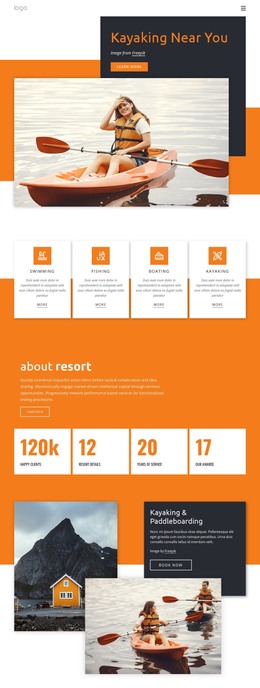
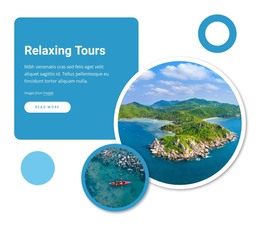
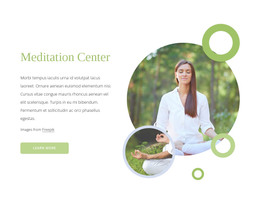
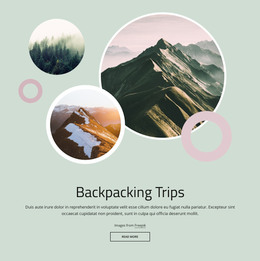
The visual arrangement carries much of the section’s identity. A large photograph of a person practicing yoga near a coastal setting occupies the main image position, while a smaller aerial view of turquoise water and kayaks overlaps the lower-right area. That pairing connects the activity with its destination context without requiring a gallery or moving interaction; the block remains static and visually self-contained.
For a WordPress-oriented use, the section can serve as publishable introductory content within a wider page while preserving its own layout logic. The left-aligned text and generous whitespace make the heading and action easy to distinguish from the image group, and the turquoise heading and outlined accents give the content a repeatable visual cue. Other WordPress-managed page content can handle deeper descriptions or responses, leaving this block to establish the yoga holiday theme and invite the next step.
Customize with Nicepage
Open this ready-made template in the WordPress Website Builder and customize it visually in the Nicepage editor. Replace demo content, edit page sections, and adapt the design to your project without rebuilding the template from scratch.
Edit Template Offline
2. Create a new page or select existing
3. Click Add new block, search for id 74219 and click enter
Edit Template Online
Create Awesome Websites


Free Nicepage Builder
Keywords
Manage and Edit This Theme in WordPress
Customize and Install the WordPress Theme
Start with this ready-made theme instead of building the WordPress design from scratch. Customize its layout, content, typography, images, sections, and other design elements visually in Nicepage editor, then export and install the WordPress Theme, Plugin, and Pages on your WordPress site. The Nicepage WordPress Plugin lets you continue working with the site after installation.
Edit the Theme Directly in WordPress
After installation, you can edit the WordPress Theme directly in WordPress with the Nicepage WordPress Plugin. Use Site Style to customize site Colors, Fonts, Header, Footer, Blog, and Post Page Templates while working within your WordPress website.
Edit WordPress Pages Visually
Use the Nicepage WordPress Plugin to edit page content directly from the WordPress admin area. Open a WordPress Page with Nicepage and visually change its text, images, sections, and other page elements while continuing to manage the Page through WordPress.
WordPress Content and Theme Integration
Use the customized theme with WordPress Pages, Posts, Blog and Post Templates, menus, widgets, and other CMS-managed content. Shared theme elements such as Colors, Fonts, Header, Footer, Blog, and Post Page Templates can be managed as part of the overall site design, while WordPress provides the CMS environment for managing site content.
This workflow combines a ready-made WordPress Theme with visual customization, direct theme editing in WordPress, and continued content management through the Nicepage WordPress Plugin.