Flowers and spring WordPress Theme


Botanical Images Form Stable WordPress Page Content
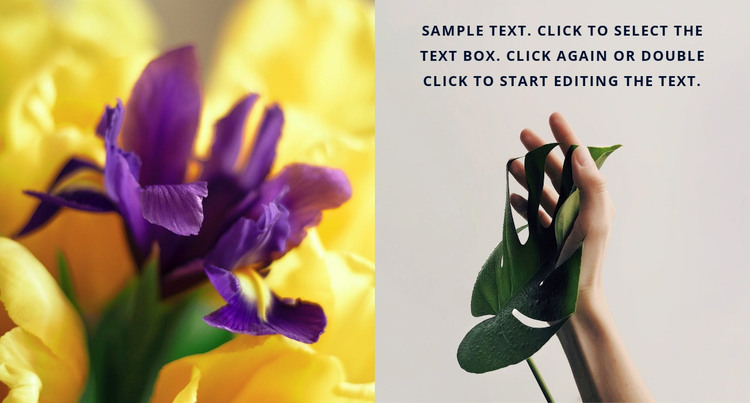
The flower photograph, leaf photograph, and short paragraph create a compact piece of page content that can remain visually stable in a WordPress-managed project. The left image supplies vivid yellow and purple color, while the right image offers a lighter scene with a hand holding a green leaf. Placing the paragraph over the upper part of the right panel keeps the text associated with that image and avoids turning the section into a standard text-and-image column. The two equal panels also make the content area immediately recognizable when it appears among other page sections.
For a WordPress-oriented interpretation, this block is best treated as a reusable visual region for a page rather than as a theme or publishing structure by itself. Its content can support a nature-focused introduction, visual pause, or accompanying explanation, while the wider project supplies other page information and editorial areas. The sample paragraph can be replaced with appropriate copy, but its overlay position should remain coordinated with the pale background and the leaf image. Since the interaction is static, the section does not depend on posts, categories, widgets, or dynamic controls. Its practical value lies in preserving a distinctive image-led content pattern that can sit consistently within a broader managed page.
Customize with Nicepage
Open this ready-made template in the WordPress Website Builder and customize it visually in the Nicepage editor. Replace demo content, edit page sections, and adapt the design to your project without rebuilding the template from scratch.
Edit Template Offline
2. Create a new page or select existing
3. Click Add new block, search for id 73894 and click enter
Edit Template Online
Create Awesome Websites


Free Nicepage Builder
Keywords
Manage and Edit This Theme in WordPress
Customize and Install the WordPress Theme
Start with this ready-made theme instead of building the WordPress design from scratch. Customize its layout, content, typography, images, sections, and other design elements visually in Nicepage editor, then export and install the WordPress Theme, Plugin, and Pages on your WordPress site. The Nicepage WordPress Plugin lets you continue working with the site after installation.
Edit the Theme Directly in WordPress
After installation, you can edit the WordPress Theme directly in WordPress with the Nicepage WordPress Plugin. Use Site Style to customize site Colors, Fonts, Header, Footer, Blog, and Post Page Templates while working within your WordPress website.
Edit WordPress Pages Visually
Use the Nicepage WordPress Plugin to edit page content directly from the WordPress admin area. Open a WordPress Page with Nicepage and visually change its text, images, sections, and other page elements while continuing to manage the Page through WordPress.
WordPress Content and Theme Integration
Use the customized theme with WordPress Pages, Posts, Blog and Post Templates, menus, widgets, and other CMS-managed content. Shared theme elements such as Colors, Fonts, Header, Footer, Blog, and Post Page Templates can be managed as part of the overall site design, while WordPress provides the CMS environment for managing site content.
This workflow combines a ready-made WordPress Theme with visual customization, direct theme editing in WordPress, and continued content management through the Nicepage WordPress Plugin.