Ocean world WordPress Theme


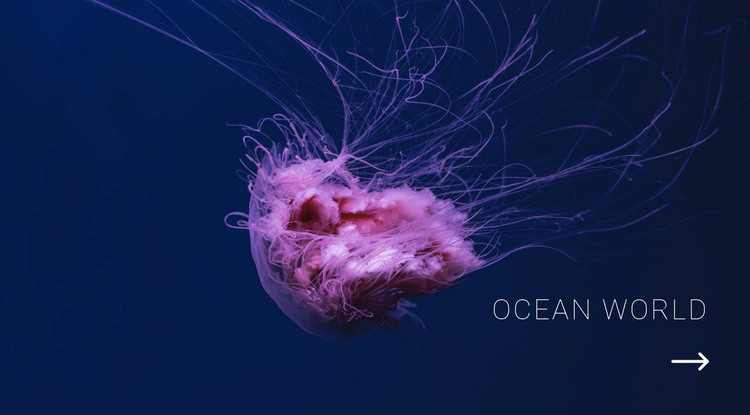
A Stable Ocean Introduction for Page Content
The heading, jellyfish image, and arrow cue form a compact piece of permanent page content rather than a stream of changing entries. In a WordPress-oriented project, that makes the section suitable for an ocean, nature, aquarium, or marine-life page where the visual introduction should remain consistent while surrounding content develops over time.
The block’s content logic is straightforward: the full-width photograph carries the subject, the right-side “Ocean World” heading names it, and the circular arrow provides a supporting visual direction below the text. The deep navy field and illuminated pink-purple jellyfish also give the section a defined appearance that can remain stable within a page’s broader design. No post feed, category list, or editorial interaction is required to understand its role.
This distinction is useful when the surrounding WordPress-managed site contains other publishable material. Additional pages or content areas can handle articles, galleries, species information, or contact details, while this block continues to introduce the theme visually. It can therefore function as a reusable page section without being treated as the WordPress Theme itself. The result is a focused content region whose imagery and heading establish context before visitors move into more detailed material.
Customize with Nicepage
Open this ready-made template in the WordPress Website Builder and customize it visually in the Nicepage editor. Replace demo content, edit page sections, and adapt the design to your project without rebuilding the template from scratch.
Edit Template Offline
2. Create a new page or select existing
3. Click Add new block, search for id 101327 and click enter
Edit Template Online
Create Awesome Websites


Free Nicepage Builder
Keywords
Manage and Edit This Theme in WordPress
Customize and Install the WordPress Theme
Start with this ready-made theme instead of building the WordPress design from scratch. Customize its layout, content, typography, images, sections, and other design elements visually in Nicepage editor, then export and install the WordPress Theme, Plugin, and Pages on your WordPress site. The Nicepage WordPress Plugin lets you continue working with the site after installation.
Edit the Theme Directly in WordPress
After installation, you can edit the WordPress Theme directly in WordPress with the Nicepage WordPress Plugin. Use Site Style to customize site Colors, Fonts, Header, Footer, Blog, and Post Page Templates while working within your WordPress website.
Edit WordPress Pages Visually
Use the Nicepage WordPress Plugin to edit page content directly from the WordPress admin area. Open a WordPress Page with Nicepage and visually change its text, images, sections, and other page elements while continuing to manage the Page through WordPress.
WordPress Content and Theme Integration
Use the customized theme with WordPress Pages, Posts, Blog and Post Templates, menus, widgets, and other CMS-managed content. Shared theme elements such as Colors, Fonts, Header, Footer, Blog, and Post Page Templates can be managed as part of the overall site design, while WordPress provides the CMS environment for managing site content.
This workflow combines a ready-made WordPress Theme with visual customization, direct theme editing in WordPress, and continued content management through the Nicepage WordPress Plugin.