Conquest of the peaks WordPress Theme


A stable travel introduction for WordPress-managed page content
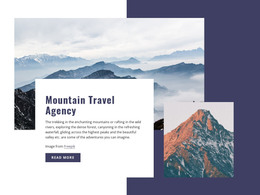
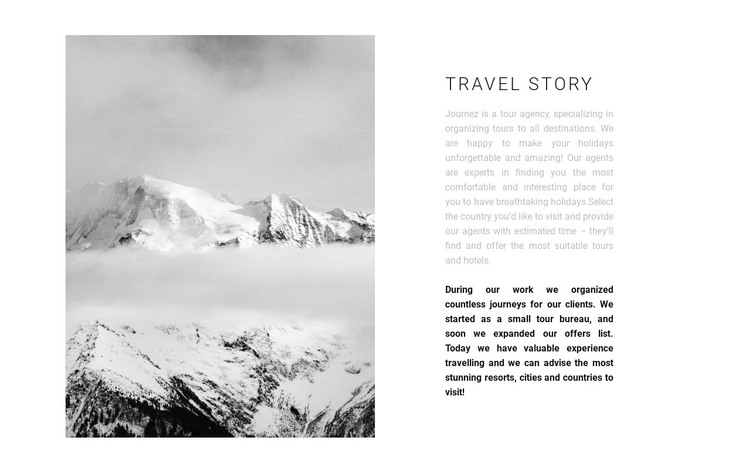
The left-side mountain image gives the section a strong visual entry point, while the right side carries the durable informational content: a “Travel story” heading followed by text about tours, destinations, and hotels. The bold closing paragraph adds a second level of emphasis, so the message is not presented as one undifferentiated block of copy. This combination makes the section read as a considered introduction to a travel agency’s experience and offerings.
Within a WordPress-managed site, the block can function as stable page content on a travel, tourism, or agency-oriented page. The section itself remains focused on introducing the subject; neighboring content can handle individual destinations, hotel details, tour options, booking steps, or contact information. That separation is useful when the wider project needs to maintain a consistent introductory area without making this single block responsible for every travel-related task.
The split layout also gives the content a repeatable visual pattern. A tall image occupies one side, and a compact hierarchy of heading, descriptive text, and bold conclusion occupies the other. This makes the block suitable for a permanent about-style or agency-introduction region that can sit alongside other WordPress-managed page sections while preserving its mountain imagery and focused travel narrative.
Customize with Nicepage
Open this ready-made template in the WordPress Website Builder and customize it visually in the Nicepage editor. Replace demo content, edit page sections, and adapt the design to your project without rebuilding the template from scratch.
Edit Template Offline
2. Create a new page or select existing
3. Click Add new block, search for id 680514 and click enter
Edit Template Online
Create Awesome Websites


Free Nicepage Builder
Keywords
Manage and Edit This Theme in WordPress
Customize and Install the WordPress Theme
Start with this ready-made theme instead of building the WordPress design from scratch. Customize its layout, content, typography, images, sections, and other design elements visually in Nicepage editor, then export and install the WordPress Theme, Plugin, and Pages on your WordPress site. The Nicepage WordPress Plugin lets you continue working with the site after installation.
Edit the Theme Directly in WordPress
After installation, you can edit the WordPress Theme directly in WordPress with the Nicepage WordPress Plugin. Use Site Style to customize site Colors, Fonts, Header, Footer, Blog, and Post Page Templates while working within your WordPress website.
Edit WordPress Pages Visually
Use the Nicepage WordPress Plugin to edit page content directly from the WordPress admin area. Open a WordPress Page with Nicepage and visually change its text, images, sections, and other page elements while continuing to manage the Page through WordPress.
WordPress Content and Theme Integration
Use the customized theme with WordPress Pages, Posts, Blog and Post Templates, menus, widgets, and other CMS-managed content. Shared theme elements such as Colors, Fonts, Header, Footer, Blog, and Post Page Templates can be managed as part of the overall site design, while WordPress provides the CMS environment for managing site content.
This workflow combines a ready-made WordPress Theme with visual customization, direct theme editing in WordPress, and continued content management through the Nicepage WordPress Plugin.