Stomatology center WordPress Theme



Specialized Clinic Copy Creates Stable WordPress Page Content
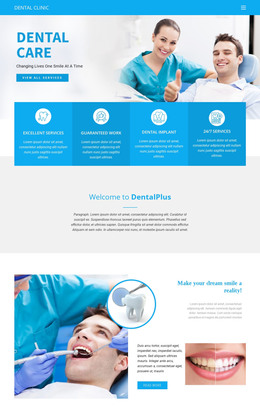
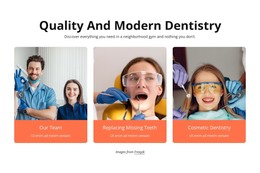
The “Stomatology Clinic” heading and its supporting paragraphs read as stable informational content suitable for a WordPress-managed page. Rather than presenting a changing article stream, the section introduces the center’s oral-health focus, including unusual mouth lesions and conditions such as lichen planus, mucous membrane pemphigoid, and pemphigus vulgaris. The reference to the center’s establishment in 1984 provides additional institutional context within the same content area. Three dental-care photographs support that message without turning the section into a gallery-led feature.
The visual arrangement helps preserve the section as a recognizable page-content unit. Two smaller images are grouped above the text on the left, while the larger image on the right creates a strong visual counterweight. This structure can remain consistent when the block is used within a WordPress-oriented page, while surrounding content handles services, treatment details, appointments, or contact information. The white background, black uppercase heading, compact dark paragraphs, and turquoise edge accent give editors a defined visual pattern to maintain alongside related sections. The image-source credit can remain associated with the photographs. In this context, the block functions as a reusable clinic-introduction area within broader CMS-managed content, not as a standalone theme or complete site.
Customize with Nicepage
Open this ready-made template in the WordPress Website Builder and customize it visually in the Nicepage editor. Replace demo content, edit page sections, and adapt the design to your project without rebuilding the template from scratch.
Edit Template Offline
2. Create a new page or select existing
3. Click Add new block, search for id 67398 and click enter
Edit Template Online
Create Awesome Websites


Free Nicepage Builder
Keywords
Manage and Edit This Theme in WordPress
Customize and Install the WordPress Theme
Start with this ready-made theme instead of building the WordPress design from scratch. Customize its layout, content, typography, images, sections, and other design elements visually in Nicepage editor, then export and install the WordPress Theme, Plugin, and Pages on your WordPress site. The Nicepage WordPress Plugin lets you continue working with the site after installation.
Edit the Theme Directly in WordPress
After installation, you can edit the WordPress Theme directly in WordPress with the Nicepage WordPress Plugin. Use Site Style to customize site Colors, Fonts, Header, Footer, Blog, and Post Page Templates while working within your WordPress website.
Edit WordPress Pages Visually
Use the Nicepage WordPress Plugin to edit page content directly from the WordPress admin area. Open a WordPress Page with Nicepage and visually change its text, images, sections, and other page elements while continuing to manage the Page through WordPress.
WordPress Content and Theme Integration
Use the customized theme with WordPress Pages, Posts, Blog and Post Templates, menus, widgets, and other CMS-managed content. Shared theme elements such as Colors, Fonts, Header, Footer, Blog, and Post Page Templates can be managed as part of the overall site design, while WordPress provides the CMS environment for managing site content.
This workflow combines a ready-made WordPress Theme with visual customization, direct theme editing in WordPress, and continued content management through the Nicepage WordPress Plugin.