Award-winning virtual assistants WordPress Theme


Stable Service Content for a WordPress-Managed Page
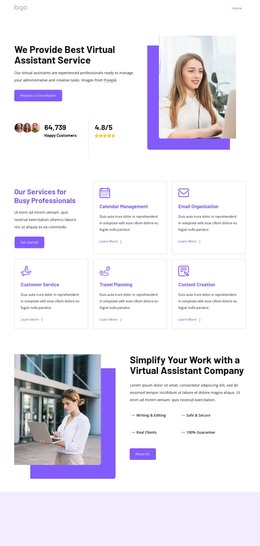
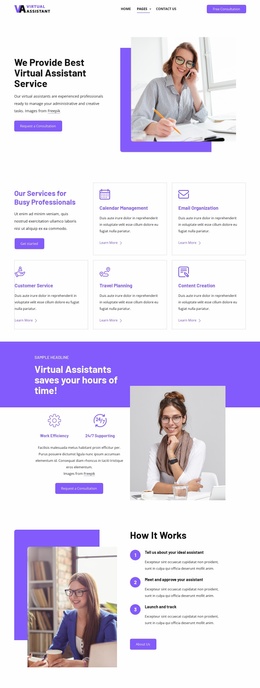
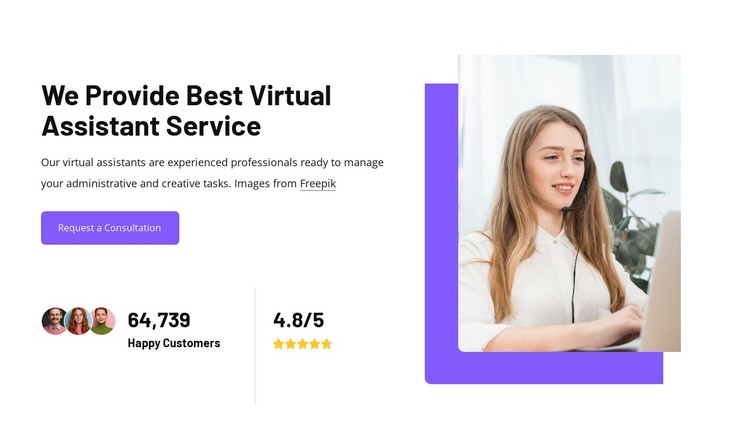
The heading and supporting paragraph read as stable page content: they explain a virtual assistant service and identify administrative and creative task assistance without depending on a time-sensitive article format. The “Request a Consultation” button gives the section a practical destination, while the displayed “64,739 Happy Customers” figure and 4.8/5 rating add compact supporting signals beneath the introduction. Together, these elements make the block suitable for a services-oriented content area within a WordPress-managed page.
The layout also creates a repeatable visual pattern that can remain consistent as surrounding content develops. The left column groups message, action, and metrics; the right column uses a headset-wearing woman in a tall rounded crop, layered over a vivid purple rounded shape. This separation keeps the service explanation readable while giving the page a strong visual anchor. In a broader WordPress project, the section could sit alongside other permanent page content such as detailed offerings, process information, or contact material. The block contributes one coherent content region; the surrounding WordPress environment and wider page structure remain responsible for the rest of the site’s publishing context.
Customize with Nicepage
Open this ready-made template in the WordPress Website Builder and customize it visually in the Nicepage editor. Replace demo content, edit page sections, and adapt the design to your project without rebuilding the template from scratch.
Edit Template Offline
2. Create a new page or select existing
3. Click Add new block, search for id 6351180 and click enter
Edit Template Online
Create Awesome Websites


Free Nicepage Builder
Keywords
Manage and Edit This Theme in WordPress
Customize and Install the WordPress Theme
Start with this ready-made theme instead of building the WordPress design from scratch. Customize its layout, content, typography, images, sections, and other design elements visually in Nicepage editor, then export and install the WordPress Theme, Plugin, and Pages on your WordPress site. The Nicepage WordPress Plugin lets you continue working with the site after installation.
Edit the Theme Directly in WordPress
After installation, you can edit the WordPress Theme directly in WordPress with the Nicepage WordPress Plugin. Use Site Style to customize site Colors, Fonts, Header, Footer, Blog, and Post Page Templates while working within your WordPress website.
Edit WordPress Pages Visually
Use the Nicepage WordPress Plugin to edit page content directly from the WordPress admin area. Open a WordPress Page with Nicepage and visually change its text, images, sections, and other page elements while continuing to manage the Page through WordPress.
WordPress Content and Theme Integration
Use the customized theme with WordPress Pages, Posts, Blog and Post Templates, menus, widgets, and other CMS-managed content. Shared theme elements such as Colors, Fonts, Header, Footer, Blog, and Post Page Templates can be managed as part of the overall site design, while WordPress provides the CMS environment for managing site content.
This workflow combines a ready-made WordPress Theme with visual customization, direct theme editing in WordPress, and continued content management through the Nicepage WordPress Plugin.