Building sustainable spaces WordPress Theme


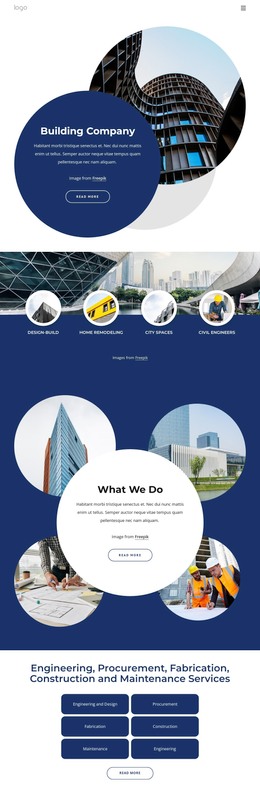
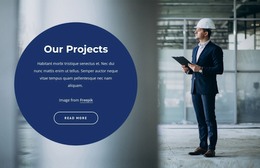
Permanent architecture content framed by a navy panel and building image
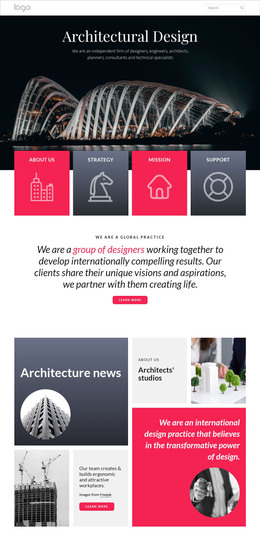
The heading and paragraph read as stable page content for an architecture practice rather than as a time-sensitive listing. The message centers on sustainable buildings and spaces, then adds perspective through references to context, design teams, and client vision. That combination gives the block a suitable role as an about-oriented or introductory section within a WordPress-managed page. The “learn more” button provides a contained route to further information without requiring this section to carry the entire visitor journey.
The visual arrangement reinforces the content hierarchy. The navy text panel holds the written statement and creates contrast for the large white heading, while the architectural photograph supplies a concrete visual counterpart on the right. Since the image extends below the colored area into a white lower region, it introduces an overlapping edge that distinguishes the section from a conventional equal-height two-column layout. The block remains static, so its meaning depends on the relationship between message, action, and image.
In a WordPress-oriented project, this section can be maintained as reusable visual content on a stable page while the wider site manages additional architecture information around it. Other content areas can cover projects, services, or contact details; this block retains its focused statement about sustainable spaces and the people and context behind their design.
Customize with Nicepage
Open this ready-made template in the WordPress Website Builder and customize it visually in the Nicepage editor. Replace demo content, edit page sections, and adapt the design to your project without rebuilding the template from scratch.
Edit Template Offline
2. Create a new page or select existing
3. Click Add new block, search for id 61786 and click enter
Edit Template Online
Create Awesome Websites


Free Nicepage Builder
Keywords
Manage and Edit This Theme in WordPress
Customize and Install the WordPress Theme
Start with this ready-made theme instead of building the WordPress design from scratch. Customize its layout, content, typography, images, sections, and other design elements visually in Nicepage editor, then export and install the WordPress Theme, Plugin, and Pages on your WordPress site. The Nicepage WordPress Plugin lets you continue working with the site after installation.
Edit the Theme Directly in WordPress
After installation, you can edit the WordPress Theme directly in WordPress with the Nicepage WordPress Plugin. Use Site Style to customize site Colors, Fonts, Header, Footer, Blog, and Post Page Templates while working within your WordPress website.
Edit WordPress Pages Visually
Use the Nicepage WordPress Plugin to edit page content directly from the WordPress admin area. Open a WordPress Page with Nicepage and visually change its text, images, sections, and other page elements while continuing to manage the Page through WordPress.
WordPress Content and Theme Integration
Use the customized theme with WordPress Pages, Posts, Blog and Post Templates, menus, widgets, and other CMS-managed content. Shared theme elements such as Colors, Fonts, Header, Footer, Blog, and Post Page Templates can be managed as part of the overall site design, while WordPress provides the CMS environment for managing site content.
This workflow combines a ready-made WordPress Theme with visual customization, direct theme editing in WordPress, and continued content management through the Nicepage WordPress Plugin.