Auction Clearance Rate WordPress Theme


Four provider reasons create stable page content
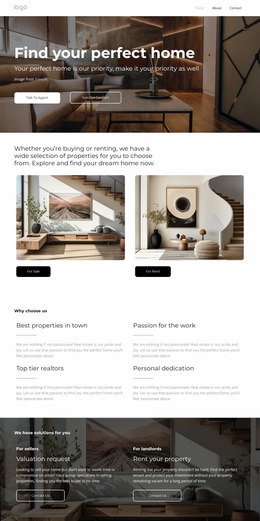
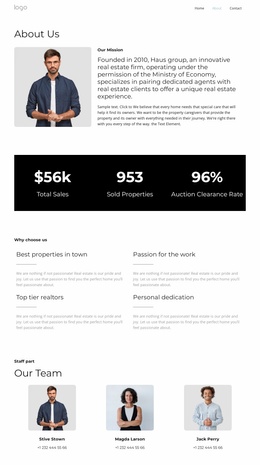
The “Why choose us” heading introduces a focused content area that can remain part of a WordPress-managed page as durable provider information. Beneath it, the four feature items—Best properties in town, Passion for the work, Top tier realtors, and Personal dedication—separate the section’s message into recognizable reasons. Each item follows the same pattern of title, horizontal divider, and supporting paragraph, giving the content a consistent structure that is easy to scan and revise without changing the overall arrangement.
The two-column grid places two items in each row, keeping the reasons compact while preserving equal visual weight. Dark titles act as clear entry points, light gray paragraphs provide the explanatory layer, and the white background leaves enough open space around each content group. In a WordPress Theme context, this block can serve as a stable services or provider-information section within a broader page, while other parts of the site handle property listings, editorial content, navigation, or contact information. The section’s value is its contained, repeatable content model: four related statements can be updated as page content while the divider treatment and two-row composition continue to organize them. No interactive behavior is required, so the information remains visible in place for visitors and editors alike.
Customize with Nicepage
Open this ready-made template in the WordPress Website Builder and customize it visually in the Nicepage editor. Replace demo content, edit page sections, and adapt the design to your project without rebuilding the template from scratch.
Edit Template Offline
2. Create a new page or select existing
3. Click Add new block, search for id 6066897 and click enter
Edit Template Online
Create Awesome Websites


Free Nicepage Builder
Keywords
Manage and Edit This Theme in WordPress
Customize and Install the WordPress Theme
Start with this ready-made theme instead of building the WordPress design from scratch. Customize its layout, content, typography, images, sections, and other design elements visually in Nicepage editor, then export and install the WordPress Theme, Plugin, and Pages on your WordPress site. The Nicepage WordPress Plugin lets you continue working with the site after installation.
Edit the Theme Directly in WordPress
After installation, you can edit the WordPress Theme directly in WordPress with the Nicepage WordPress Plugin. Use Site Style to customize site Colors, Fonts, Header, Footer, Blog, and Post Page Templates while working within your WordPress website.
Edit WordPress Pages Visually
Use the Nicepage WordPress Plugin to edit page content directly from the WordPress admin area. Open a WordPress Page with Nicepage and visually change its text, images, sections, and other page elements while continuing to manage the Page through WordPress.
WordPress Content and Theme Integration
Use the customized theme with WordPress Pages, Posts, Blog and Post Templates, menus, widgets, and other CMS-managed content. Shared theme elements such as Colors, Fonts, Header, Footer, Blog, and Post Page Templates can be managed as part of the overall site design, while WordPress provides the CMS environment for managing site content.
This workflow combines a ready-made WordPress Theme with visual customization, direct theme editing in WordPress, and continued content management through the Nicepage WordPress Plugin.