Renting out your property WordPress Theme



Organization Copy and Team Imagery as WordPress Page Content
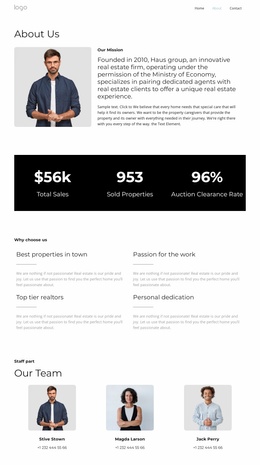
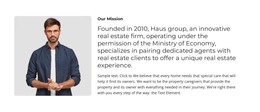
The single “About Us” heading gives the section an immediate editorial purpose, and the paragraph beneath it supplies the main organization-focused explanation. A rounded photograph of five people follows below the text toward the right side, adding a visible team reference without turning the layout into a gallery or repeated card system. The white background and generous spacing allow the written content to remain the first point of attention.
For a WordPress-managed page, this block fits naturally as stable About content connected to a real estate organization. It can sit within a broader page while other content areas present properties, services, client information, or contact details. The paragraph and photograph work together as permanent page material: the copy explains the organization’s role, and the image gives that explanation a human dimension. The small image credit line can remain attached to the visual content as part of the same section.
This interpretation emphasizes publishable page content rather than a standalone theme. The block supplies one coherent visual and editorial unit that can be maintained alongside other WordPress-managed material. Its clear heading, text-first order, and single supporting image make it suitable when an existing page needs an About section with enough identity to introduce the organization before visitors move to more specific real estate content.
Customize with Nicepage
Open this ready-made template in the WordPress Website Builder and customize it visually in the Nicepage editor. Replace demo content, edit page sections, and adapt the design to your project without rebuilding the template from scratch.
Edit Template Offline
2. Create a new page or select existing
3. Click Add new block, search for id 6066894 and click enter
Edit Template Online
Create Awesome Websites


Free Nicepage Builder
Keywords
Manage and Edit This Theme in WordPress
Customize and Install the WordPress Theme
Start with this ready-made theme instead of building the WordPress design from scratch. Customize its layout, content, typography, images, sections, and other design elements visually in Nicepage editor, then export and install the WordPress Theme, Plugin, and Pages on your WordPress site. The Nicepage WordPress Plugin lets you continue working with the site after installation.
Edit the Theme Directly in WordPress
After installation, you can edit the WordPress Theme directly in WordPress with the Nicepage WordPress Plugin. Use Site Style to customize site Colors, Fonts, Header, Footer, Blog, and Post Page Templates while working within your WordPress website.
Edit WordPress Pages Visually
Use the Nicepage WordPress Plugin to edit page content directly from the WordPress admin area. Open a WordPress Page with Nicepage and visually change its text, images, sections, and other page elements while continuing to manage the Page through WordPress.
WordPress Content and Theme Integration
Use the customized theme with WordPress Pages, Posts, Blog and Post Templates, menus, widgets, and other CMS-managed content. Shared theme elements such as Colors, Fonts, Header, Footer, Blog, and Post Page Templates can be managed as part of the overall site design, while WordPress provides the CMS environment for managing site content.
This workflow combines a ready-made WordPress Theme with visual customization, direct theme editing in WordPress, and continued content management through the Nicepage WordPress Plugin.