Setting up the work WordPress Theme



Edit Template Offline
2. Create new page and search for id 5823491
Edit Template Online
Create Awesome Websites


Free Nicepage Builder
Keywords
Service Cards and Team Content Shape a WordPress Agency Theme
The six named service cards give the design a clear set of permanent page areas for presenting an agency’s capabilities. High Quality, Creative Team, Amazing results, Best Pricing, Innovations, and 24/7 Support appear as repeated content units, so the visual system can keep related service information consistent while each item retains its own label. The About section and workplace image provide a separate space for background and positioning before visitors reach the service overview.
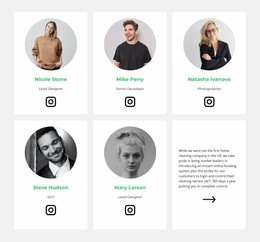
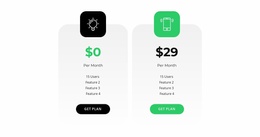
Other sections support different kinds of page content. Two pricing cards organize plan information, while the featured success-story area combines a portrait with business-success copy. Four portrait cards create a dedicated team presentation, and the green partner band groups relationship-focused content into a distinct full-width region. Together, these areas give a WordPress project a practical division between agency information, services, plans, people, and partners without claiming that posts, categories, or blog content already exist in the template.
The contact form at the end contains name, email, and message inputs beside explanatory text, providing a focused inquiry area after visitors have reviewed the agency presentation. The founder hero, repeated cards, partner region, and dark footer can remain part of one coordinated theme direction while page content is adapted for the organization’s own services and audience. This makes the design suitable for a WordPress-managed agency site where structured page content can grow around an established visual foundation.
Customize with Nicepage
Open this ready-made template in the WordPress Website Builder and customize it visually in the Nicepage editor. Replace demo content, edit page sections, and adapt the design to your project without rebuilding the template from scratch.
Manage and Edit This Theme in WordPress
Customize and Install the WordPress Theme
Start with this ready-made theme instead of building the WordPress design from scratch. Customize its layout, content, typography, images, sections, and other design elements visually in Nicepage editor, then export and install the WordPress Theme, Plugin, and Pages on your WordPress site. The Nicepage WordPress Plugin lets you continue working with the site after installation.
Edit the Theme Directly in WordPress
After installation, you can edit the WordPress Theme directly in WordPress with the Nicepage WordPress Plugin. Use Site Style to customize site Colors, Fonts, Header, Footer, Blog, and Post Page Templates while working within your WordPress website.
Edit WordPress Pages Visually
Use the Nicepage WordPress Plugin to edit page content directly from the WordPress admin area. Open a WordPress Page with Nicepage and visually change its text, images, sections, and other page elements while continuing to manage the Page through WordPress.
WordPress Content and Theme Integration
Use the customized theme with WordPress Pages, Posts, Blog and Post Templates, menus, widgets, and other CMS-managed content. Shared theme elements such as Colors, Fonts, Header, Footer, Blog, and Post Page Templates can be managed as part of the overall site design, while WordPress provides the CMS environment for managing site content.
This workflow combines a ready-made WordPress Theme with visual customization, direct theme editing in WordPress, and continued content management through the Nicepage WordPress Plugin.