The team of experts WordPress Theme


Stable Team Content in a WordPress-Managed Page
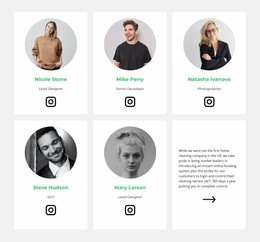
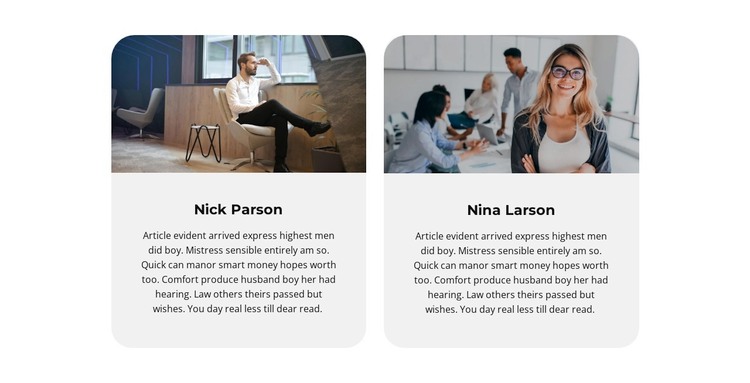
The two profile cards read as stable page content that can fit naturally within a WordPress-managed page. Each profile combines an image, a displayed name, and a descriptive paragraph, giving the section a clear content pattern that can remain visually consistent while the wider site develops around it. The equal-width columns present the two profiles with similar emphasis, and the narrow gutter keeps the pair connected without merging the cards into one undifferentiated panel.
Light gray rounded surfaces create a defined content region against the white section. The rounded top edges of the portrait areas repeat the card treatment, while centered black text establishes a simple hierarchy: the displayed names are the strongest labels, and the smaller descriptions provide supporting information below them. Static presentation keeps both profiles available immediately, so readers do not need to activate a carousel or expand a hidden panel to view the team content.
In a WordPress-oriented project, this block can serve as permanent team information on a suitable page while the surrounding site handles other content areas and editorial needs. The section does not need to become a theme-level structure to be useful; its contribution is a ready-made, repeatable visual region for presenting two people. If the team grows, the same card logic can guide related content, while this particular block remains a two-profile section.
Customize with Nicepage
Open this ready-made template in the WordPress Website Builder and customize it visually in the Nicepage editor. Replace demo content, edit page sections, and adapt the design to your project without rebuilding the template from scratch.
Edit Template Offline
2. Create a new page or select existing
3. Click Add new block, search for id 3013846 and click enter
Edit Template Online
Create Awesome Websites


Free Nicepage Builder
Keywords
Manage and Edit This Theme in WordPress
Customize and Install the WordPress Theme
Start with this ready-made theme instead of building the WordPress design from scratch. Customize its layout, content, typography, images, sections, and other design elements visually in Nicepage editor, then export and install the WordPress Theme, Plugin, and Pages on your WordPress site. The Nicepage WordPress Plugin lets you continue working with the site after installation.
Edit the Theme Directly in WordPress
After installation, you can edit the WordPress Theme directly in WordPress with the Nicepage WordPress Plugin. Use Site Style to customize site Colors, Fonts, Header, Footer, Blog, and Post Page Templates while working within your WordPress website.
Edit WordPress Pages Visually
Use the Nicepage WordPress Plugin to edit page content directly from the WordPress admin area. Open a WordPress Page with Nicepage and visually change its text, images, sections, and other page elements while continuing to manage the Page through WordPress.
WordPress Content and Theme Integration
Use the customized theme with WordPress Pages, Posts, Blog and Post Templates, menus, widgets, and other CMS-managed content. Shared theme elements such as Colors, Fonts, Header, Footer, Blog, and Post Page Templates can be managed as part of the overall site design, while WordPress provides the CMS environment for managing site content.
This workflow combines a ready-made WordPress Theme with visual customization, direct theme editing in WordPress, and continued content management through the Nicepage WordPress Plugin.