Latest innovations in robotics WordPress Theme


The FUTURE OF WORK heading anchors a stable page-content area
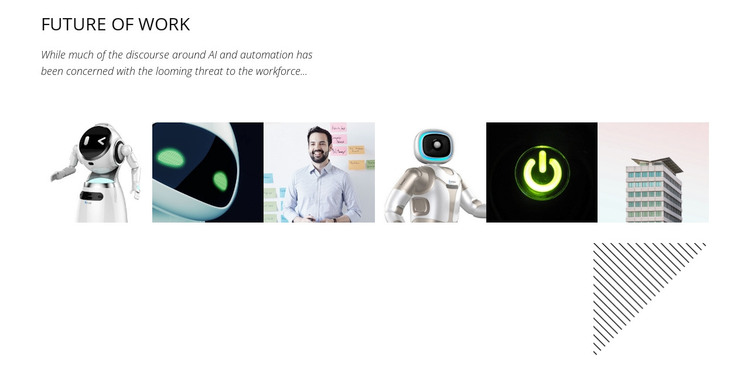
The block’s content is organized around the heading “FUTURE OF WORK,” followed by one supporting paragraph and a horizontal row of six adjacent image tiles. That sequence gives the section a readable editorial progression: the heading names the topic, the paragraph introduces its context, and the collage broadens the visual reference. The images show a robot, abstract technology visuals, a person, a device, a power symbol, and a building, allowing the section to suggest relationships between automation, human activity, technology, and infrastructure without presenting any one image as a data point.
For a WordPress-oriented project, this composition can function as stable page content within a broader theme and page structure. The section has a defined subject and a consistent internal arrangement, making it suitable for a technology, innovation, or future-of-work page area that needs more visual presence than text alone. The white background and dark text keep the content legible, while the compact italic paragraph introduces a distinct typographic note without overwhelming the image row.
The diagonal-line graphic at the collage’s lower right adds a visual marker that can help separate this content area from neighboring page sections. Because the block has no visible navigation, form, call to action, or interactive control, its WordPress role is primarily informational and visual. Other page content can provide links, deeper articles, or response points around it while this section retains its focused topic.
Customize with Nicepage
Open this ready-made template in the WordPress Website Builder and customize it visually in the Nicepage editor. Replace demo content, edit page sections, and adapt the design to your project without rebuilding the template from scratch.
Edit Template Offline
2. Create a new page or select existing
3. Click Add new block, search for id 56412 and click enter
Edit Template Online
Create Awesome Websites


Free Nicepage Builder
Keywords
Manage and Edit This Theme in WordPress
Customize and Install the WordPress Theme
Start with this ready-made theme instead of building the WordPress design from scratch. Customize its layout, content, typography, images, sections, and other design elements visually in Nicepage editor, then export and install the WordPress Theme, Plugin, and Pages on your WordPress site. The Nicepage WordPress Plugin lets you continue working with the site after installation.
Edit the Theme Directly in WordPress
After installation, you can edit the WordPress Theme directly in WordPress with the Nicepage WordPress Plugin. Use Site Style to customize site Colors, Fonts, Header, Footer, Blog, and Post Page Templates while working within your WordPress website.
Edit WordPress Pages Visually
Use the Nicepage WordPress Plugin to edit page content directly from the WordPress admin area. Open a WordPress Page with Nicepage and visually change its text, images, sections, and other page elements while continuing to manage the Page through WordPress.
WordPress Content and Theme Integration
Use the customized theme with WordPress Pages, Posts, Blog and Post Templates, menus, widgets, and other CMS-managed content. Shared theme elements such as Colors, Fonts, Header, Footer, Blog, and Post Page Templates can be managed as part of the overall site design, while WordPress provides the CMS environment for managing site content.
This workflow combines a ready-made WordPress Theme with visual customization, direct theme editing in WordPress, and continued content management through the Nicepage WordPress Plugin.