Data Center security solutions WordPress Theme


Edit Template Offline
2. Create new page and search for id 313607
Edit Template Online
Create Awesome Websites


Free Nicepage Builder
Keywords
Service Content and Inquiry Areas Fit a WordPress Site Structure
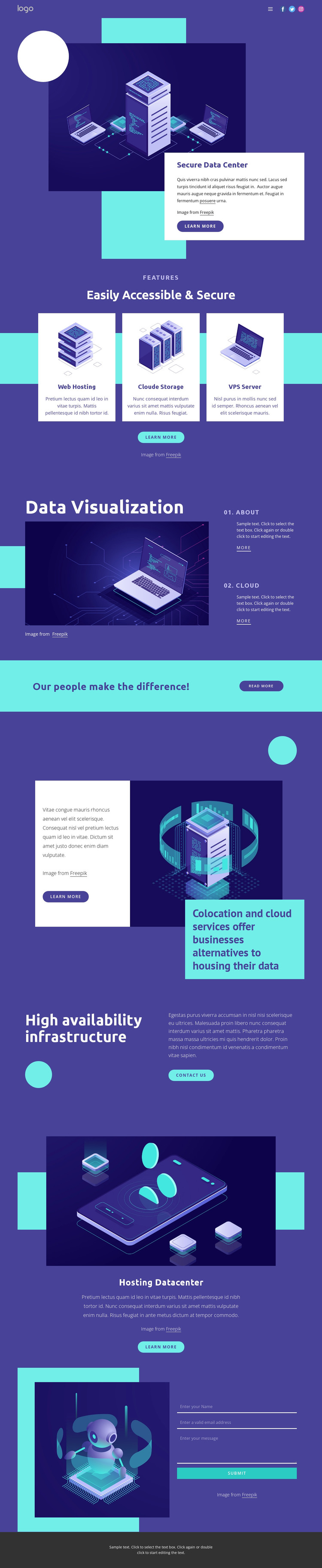
The page-oriented content is divided into clear areas that can remain visually coordinated as a WordPress project develops. The Secure Data Center introduction gives the main page a strong opening, pairing explanatory text with a technology illustration and a learn-more action. The three service cards for Web Hosting, Cloud Storage, and VPS Server then provide separate content subjects that can be expanded into more detailed service information when the project requires it.
The design also contains several useful editorial-style areas without proving that any WordPress Posts or blog structures already exist. Data Visualization combines an image with the numbered topics 01. About and 02. Cloud, creating concise supporting content. The colocation and cloud services section offers a broader explanatory subject, while High availability infrastructure focuses attention on a particular capability and includes a Contact us action. Hosting Datacenter adds another related content area with its own illustration and text.
The final contact form is distinct from these informational regions because it gathers direct inquiries after the visitor has reviewed the service and infrastructure material. Navigation, social links, shared visual treatment, and the dark footer help keep the areas connected as the site grows. In a WordPress-oriented project, the design can therefore frame permanent service pages and additional managed content within one recognizable theme direction. The interpretation is based on the template’s content map, not on an unsupported claim that WordPress-specific elements are already present.
Customize with Nicepage
Open this ready-made template in the WordPress Website Builder and customize it visually in the Nicepage editor. Replace demo content, edit page sections, and adapt the design to your project without rebuilding the template from scratch.
Manage and Edit This Theme in WordPress
Customize and Install the WordPress Theme
Start with this ready-made theme instead of building the WordPress design from scratch. Customize its layout, content, typography, images, sections, and other design elements visually in Nicepage editor, then export and install the WordPress Theme, Plugin, and Pages on your WordPress site. The Nicepage WordPress Plugin lets you continue working with the site after installation.
Edit the Theme Directly in WordPress
After installation, you can edit the WordPress Theme directly in WordPress with the Nicepage WordPress Plugin. Use Site Style to customize site Colors, Fonts, Header, Footer, Blog, and Post Page Templates while working within your WordPress website.
Edit WordPress Pages Visually
Use the Nicepage WordPress Plugin to edit page content directly from the WordPress admin area. Open a WordPress Page with Nicepage and visually change its text, images, sections, and other page elements while continuing to manage the Page through WordPress.
WordPress Content and Theme Integration
Use the customized theme with WordPress Pages, Posts, Blog and Post Templates, menus, widgets, and other CMS-managed content. Shared theme elements such as Colors, Fonts, Header, Footer, Blog, and Post Page Templates can be managed as part of the overall site design, while WordPress provides the CMS environment for managing site content.
This workflow combines a ready-made WordPress Theme with visual customization, direct theme editing in WordPress, and continued content management through the Nicepage WordPress Plugin.