Submarine tour WordPress Theme


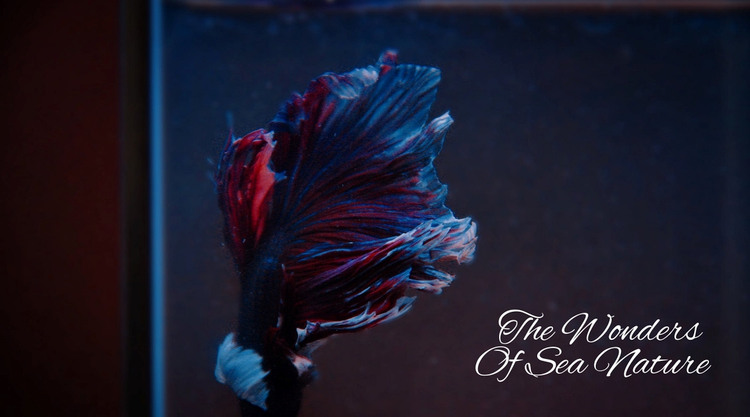
The fish image and overlaid heading form stable page content
The full-width fish photograph gives this section a clear subject, while “The Wonders Of Sea Nature” supplies a concise textual introduction. Because the fish remains on the left and the white decorative heading sits over the quieter right side, the block communicates its theme through one coordinated image-and-text relationship rather than through several content groups. The dark blue tones support the heading’s contrast, and the surrounding negative space keeps the composition open and readable.
In a WordPress-managed page, this arrangement can function as stable introductory content for a sea-nature topic. It may establish the visual direction before other page sections provide explanations, additional imagery, or related information. The block does not need to carry those wider functions itself; its value lies in presenting one recognizable subject and message that can remain visually consistent within the surrounding page content.
The block’s simple content model also makes its role clear when editors review the page: one image-led region, one heading, and no confirmed interactive controls. That distinction helps preserve the section as a focused visual introduction rather than turning it into a larger content system. WordPress-oriented page content can therefore use the block as a thematic opening while the broader site manages its other pages and publishing needs separately.
Customize with Nicepage
Open this ready-made template in the WordPress Website Builder and customize it visually in the Nicepage editor. Replace demo content, edit page sections, and adapt the design to your project without rebuilding the template from scratch.
Edit Template Offline
2. Create a new page or select existing
3. Click Add new block, search for id 55717 and click enter
Edit Template Online
Create Awesome Websites


Free Nicepage Builder
Keywords
Manage and Edit This Theme in WordPress
Customize and Install the WordPress Theme
Start with this ready-made theme instead of building the WordPress design from scratch. Customize its layout, content, typography, images, sections, and other design elements visually in Nicepage editor, then export and install the WordPress Theme, Plugin, and Pages on your WordPress site. The Nicepage WordPress Plugin lets you continue working with the site after installation.
Edit the Theme Directly in WordPress
After installation, you can edit the WordPress Theme directly in WordPress with the Nicepage WordPress Plugin. Use Site Style to customize site Colors, Fonts, Header, Footer, Blog, and Post Page Templates while working within your WordPress website.
Edit WordPress Pages Visually
Use the Nicepage WordPress Plugin to edit page content directly from the WordPress admin area. Open a WordPress Page with Nicepage and visually change its text, images, sections, and other page elements while continuing to manage the Page through WordPress.
WordPress Content and Theme Integration
Use the customized theme with WordPress Pages, Posts, Blog and Post Templates, menus, widgets, and other CMS-managed content. Shared theme elements such as Colors, Fonts, Header, Footer, Blog, and Post Page Templates can be managed as part of the overall site design, while WordPress provides the CMS environment for managing site content.
This workflow combines a ready-made WordPress Theme with visual customization, direct theme editing in WordPress, and continued content management through the Nicepage WordPress Plugin.