Podcasting operational WordPress Theme



Contact Details Organized as Stable WordPress Page Content
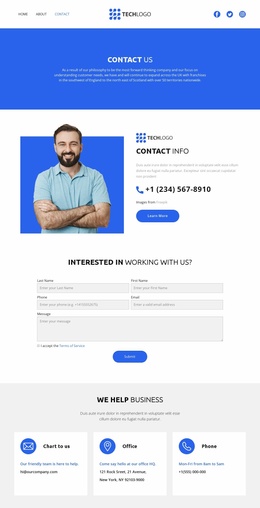
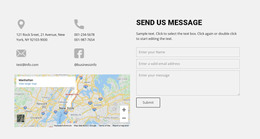
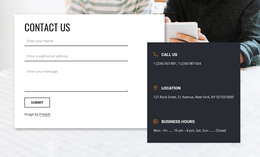
The block’s content model is suited to a permanent contact section: one Contact Us heading introduces three labeled groups for calls, location, and business hours. Rather than combining all information into a single text panel, the layout gives each group its own icon and descriptive area. The centered alignment keeps the right column orderly, while the rounded photograph on the left adds a human and visual element to the contact presentation.
In a WordPress-managed page, this section can remain a stable content area within a broader site, such as a business contact page or a page that concludes with practical visitor information. The block itself supplies neither the full site structure nor the surrounding navigation; its role is to present contact details in a consistent visual format. The bright blue field, white type, and yellow icons can also help this section stand apart from denser content placed before or after it.
The phone, address, and opening hours shown in the design should be updated with the project’s intended details. For WordPress projects, the Nicepage WordPress Plugin can be used to edit page content when an active WordPress theme is already present, while this layout remains one reusable contact section within the page.
Customize with Nicepage
Open this ready-made template in the WordPress Website Builder and customize it visually in the Nicepage editor. Replace demo content, edit page sections, and adapt the design to your project without rebuilding the template from scratch.
Edit Template Offline
2. Create a new page or select existing
3. Click Add new block, search for id 4903658 and click enter
Edit Template Online
Create Awesome Websites


Free Nicepage Builder
Keywords
Manage and Edit This Theme in WordPress
Customize and Install the WordPress Theme
Start with this ready-made theme instead of building the WordPress design from scratch. Customize its layout, content, typography, images, sections, and other design elements visually in Nicepage editor, then export and install the WordPress Theme, Plugin, and Pages on your WordPress site. The Nicepage WordPress Plugin lets you continue working with the site after installation.
Edit the Theme Directly in WordPress
After installation, you can edit the WordPress Theme directly in WordPress with the Nicepage WordPress Plugin. Use Site Style to customize site Colors, Fonts, Header, Footer, Blog, and Post Page Templates while working within your WordPress website.
Edit WordPress Pages Visually
Use the Nicepage WordPress Plugin to edit page content directly from the WordPress admin area. Open a WordPress Page with Nicepage and visually change its text, images, sections, and other page elements while continuing to manage the Page through WordPress.
WordPress Content and Theme Integration
Use the customized theme with WordPress Pages, Posts, Blog and Post Templates, menus, widgets, and other CMS-managed content. Shared theme elements such as Colors, Fonts, Header, Footer, Blog, and Post Page Templates can be managed as part of the overall site design, while WordPress provides the CMS environment for managing site content.
This workflow combines a ready-made WordPress Theme with visual customization, direct theme editing in WordPress, and continued content management through the Nicepage WordPress Plugin.