Meet our talents WordPress Theme



Edit Template Offline
2. Create new page and search for id 4429656
Edit Template Online
Create Awesome Websites


Free Nicepage Builder
Keywords
Profile Content and Contact Details Fit a WordPress Site Structure
The six profile cards provide a clear set of permanent people-focused content areas: each combines a portrait, a role label, and social links within the same repeated visual pattern. That structure can support WordPress Pages for team or company information while leaving the individual names, roles, images, and links available as content to replace or maintain. The cards communicate the organization of the page more effectively than a single undivided staff paragraph.
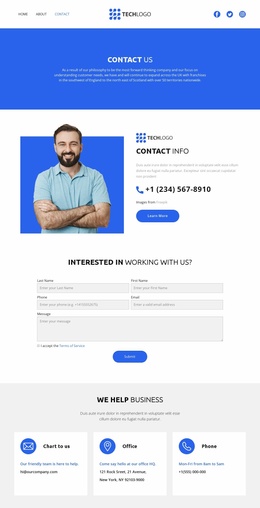
The blue introduction and centered “Our Dedicated Team” section give the page a strong editorial starting point, while the Follow Us button adds a separate social destination. The contact block then groups email, office, and phone information into three parallel cards. In a WordPress project, this separation makes the permanent contact content easy to distinguish from the profile content and leaves room for other managed areas to be connected through the existing navigation.
The dark footer and mobile navigation complete the shared site presentation without changing the team page’s main role. The design therefore suits a WordPress-oriented project where a consistent theme layer frames page content: people, social access, and contact details remain visibly coordinated, while future editorial or business information can be added around the same corporate visual direction. The verified analysis does not establish blog posts or other WordPress-specific content, so this interpretation stays with the confirmed page areas.
Customize with Nicepage
Open this ready-made template in the WordPress Website Builder and customize it visually in the Nicepage editor. Replace demo content, edit page sections, and adapt the design to your project without rebuilding the template from scratch.
Manage and Edit This Theme in WordPress
Customize and Install the WordPress Theme
Start with this ready-made theme instead of building the WordPress design from scratch. Customize its layout, content, typography, images, sections, and other design elements visually in Nicepage editor, then export and install the WordPress Theme, Plugin, and Pages on your WordPress site. The Nicepage WordPress Plugin lets you continue working with the site after installation.
Edit the Theme Directly in WordPress
After installation, you can edit the WordPress Theme directly in WordPress with the Nicepage WordPress Plugin. Use Site Style to customize site Colors, Fonts, Header, Footer, Blog, and Post Page Templates while working within your WordPress website.
Edit WordPress Pages Visually
Use the Nicepage WordPress Plugin to edit page content directly from the WordPress admin area. Open a WordPress Page with Nicepage and visually change its text, images, sections, and other page elements while continuing to manage the Page through WordPress.
WordPress Content and Theme Integration
Use the customized theme with WordPress Pages, Posts, Blog and Post Templates, menus, widgets, and other CMS-managed content. Shared theme elements such as Colors, Fonts, Header, Footer, Blog, and Post Page Templates can be managed as part of the overall site design, while WordPress provides the CMS environment for managing site content.
This workflow combines a ready-made WordPress Theme with visual customization, direct theme editing in WordPress, and continued content management through the Nicepage WordPress Plugin.