We build trust WordPress Theme
Edit Template Offline
2. Create new page and search for id 4429670
Edit Template Online
Create Awesome Websites


Free Nicepage Builder
Keywords
Project and Partner Content Fit a WordPress-Oriented Site Structure
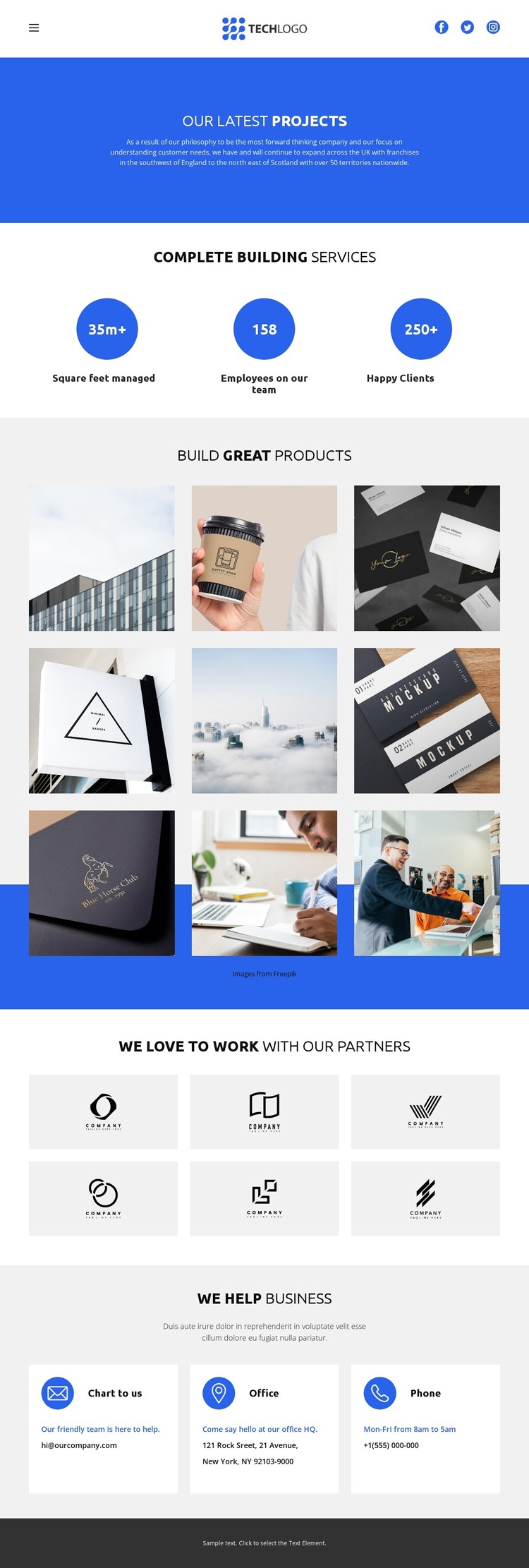
The page separates its content into clear areas that can be interpreted naturally within a WordPress-managed site. The nine-image project gallery is the strongest page-oriented content area: it presents repeated visual items beneath Build Great Products and can provide a consistent design context for project information that a business may publish or update. The three circular metrics sit apart from the gallery, giving capability-related information its own compact presentation rather than mixing it into each project item.
The six partner logo tiles add another repeated content relationship. They can support a permanent partners section or accompanying business information while remaining visually distinct from the project showcase. The header’s navigation and social icons provide shared site controls, and the dark footer gives the page a stable closing element. Together, these regions make the design readable as a coordinated theme presentation rather than a collection of disconnected blocks.
The final contact area contains email, office, and phone cards, creating a page-oriented destination for business inquiries. If the project later adds regularly updated articles or announcements, those items could follow the same blue, white, and light-gray visual direction without changing the core character of this page. Nicepage’s WordPress Plugin is relevant when the design needs to be connected with WordPress-managed page content, but the template itself does not prove that Posts, categories, or other WordPress structures already exist.
Customize with Nicepage
Open this ready-made template in the WordPress Website Builder and customize it visually in the Nicepage editor. Replace demo content, edit page sections, and adapt the design to your project without rebuilding the template from scratch.
Manage and Edit This Theme in WordPress
Customize and Install the WordPress Theme
Start with this ready-made theme instead of building the WordPress design from scratch. Customize its layout, content, typography, images, sections, and other design elements visually in Nicepage editor, then export and install the WordPress Theme, Plugin, and Pages on your WordPress site. The Nicepage WordPress Plugin lets you continue working with the site after installation.
Edit the Theme Directly in WordPress
After installation, you can edit the WordPress Theme directly in WordPress with the Nicepage WordPress Plugin. Use Site Style to customize site Colors, Fonts, Header, Footer, Blog, and Post Page Templates while working within your WordPress website.
Edit WordPress Pages Visually
Use the Nicepage WordPress Plugin to edit page content directly from the WordPress admin area. Open a WordPress Page with Nicepage and visually change its text, images, sections, and other page elements while continuing to manage the Page through WordPress.
WordPress Content and Theme Integration
Use the customized theme with WordPress Pages, Posts, Blog and Post Templates, menus, widgets, and other CMS-managed content. Shared theme elements such as Colors, Fonts, Header, Footer, Blog, and Post Page Templates can be managed as part of the overall site design, while WordPress provides the CMS environment for managing site content.
This workflow combines a ready-made WordPress Theme with visual customization, direct theme editing in WordPress, and continued content management through the Nicepage WordPress Plugin.