Care for reactive dogs WordPress Theme



A Memorable Pet Introduction for WordPress Page Content
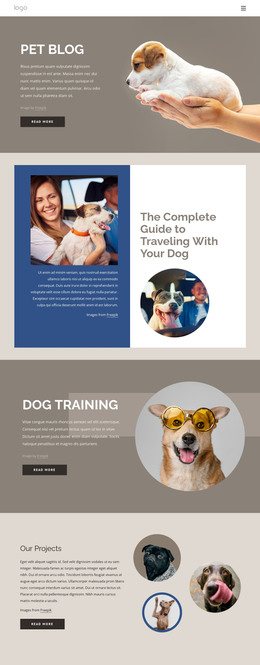
“Dogs do speak” gives the section a concise verbal focus, and the line “but only to those who know how to listen” turns that statement into a more specific invitation to understand animal behavior. The centered placement keeps the two text elements visually connected, with the bold heading carrying the initial emphasis and the smaller tagline providing context beneath it. A large dog portrait fills the lower portion of the composition, allowing the image to confirm the subject without adding another content mechanism.
In a WordPress-managed page, this block can serve as permanent introductory content for a pet-related article, service description, educational section, or similar page role. The section’s value comes from its self-contained message and image relationship: visitors can identify the topic before moving into the surrounding content. The golden-yellow background gives the section a distinct visual boundary, while the dark portrait creates a strong transition from text to image. Because the interaction is static, the block does not depend on a carousel, form, or expandable control to communicate its purpose. It can therefore remain a recognizable page section within a wider WordPress project, with other content areas handling navigation, detailed information, or response actions.
Customize with Nicepage
Open this ready-made template in the WordPress Website Builder and customize it visually in the Nicepage editor. Replace demo content, edit page sections, and adapt the design to your project without rebuilding the template from scratch.
Edit Template Offline
2. Create a new page or select existing
3. Click Add new block, search for id 46768 and click enter
Edit Template Online
Create Awesome Websites


Free Nicepage Builder
Keywords
Manage and Edit This Theme in WordPress
Customize and Install the WordPress Theme
Start with this ready-made theme instead of building the WordPress design from scratch. Customize its layout, content, typography, images, sections, and other design elements visually in Nicepage editor, then export and install the WordPress Theme, Plugin, and Pages on your WordPress site. The Nicepage WordPress Plugin lets you continue working with the site after installation.
Edit the Theme Directly in WordPress
After installation, you can edit the WordPress Theme directly in WordPress with the Nicepage WordPress Plugin. Use Site Style to customize site Colors, Fonts, Header, Footer, Blog, and Post Page Templates while working within your WordPress website.
Edit WordPress Pages Visually
Use the Nicepage WordPress Plugin to edit page content directly from the WordPress admin area. Open a WordPress Page with Nicepage and visually change its text, images, sections, and other page elements while continuing to manage the Page through WordPress.
WordPress Content and Theme Integration
Use the customized theme with WordPress Pages, Posts, Blog and Post Templates, menus, widgets, and other CMS-managed content. Shared theme elements such as Colors, Fonts, Header, Footer, Blog, and Post Page Templates can be managed as part of the overall site design, while WordPress provides the CMS environment for managing site content.
This workflow combines a ready-made WordPress Theme with visual customization, direct theme editing in WordPress, and continued content management through the Nicepage WordPress Plugin.