Team of three WordPress Theme


Portrait-Led Content for a Stable Team Section
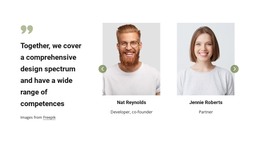
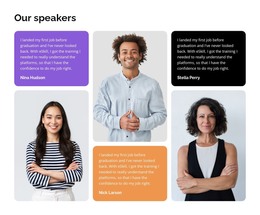
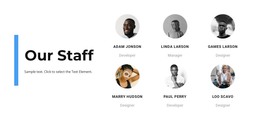
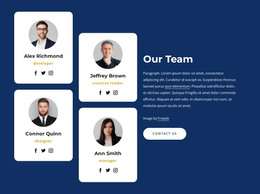
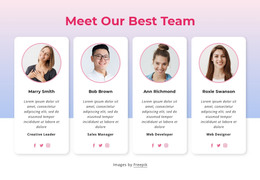
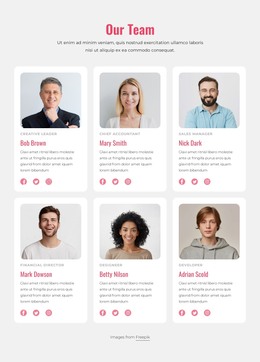
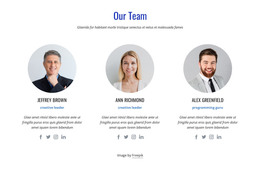
The upper row of three portrait images makes the people in this section the first point of recognition. Beneath it, the lower three-column arrangement changes from visual introduction to explanatory content: the light-gray center panel presents the “Our Team” heading and sample text, while the two white side columns carry paragraphs about business-model adaptation, GPS tracking, online booking, and customer service control. This progression gives the block a clear content hierarchy without relying on interaction.
For a WordPress-managed page, the section can hold stable team or company information that belongs with permanent page content. The portrait group provides the human focus, while the two narrative columns leave space for a concise description of how the organization works or supports its customers. The center panel helps the heading remain visually separate from the longer copy, making the block readable as one defined content area even when placed among other page sections.
The sample instruction paragraph is placeholder material, so it should be replaced with the intended team message rather than treated as published information. Individual profiles, service details, or booking content can be handled by other page areas when needed. Here, the main value is the combination of three portraits, a centered team label, and two contextual text columns that can remain visually consistent inside a broader WordPress-oriented page design.
Customize with Nicepage
Open this ready-made template in the WordPress Website Builder and customize it visually in the Nicepage editor. Replace demo content, edit page sections, and adapt the design to your project without rebuilding the template from scratch.
Edit Template Offline
2. Create a new page or select existing
3. Click Add new block, search for id 439934 and click enter
Edit Template Online
Create Awesome Websites


Free Nicepage Builder
Keywords
Manage and Edit This Theme in WordPress
Customize and Install the WordPress Theme
Start with this ready-made theme instead of building the WordPress design from scratch. Customize its layout, content, typography, images, sections, and other design elements visually in Nicepage editor, then export and install the WordPress Theme, Plugin, and Pages on your WordPress site. The Nicepage WordPress Plugin lets you continue working with the site after installation.
Edit the Theme Directly in WordPress
After installation, you can edit the WordPress Theme directly in WordPress with the Nicepage WordPress Plugin. Use Site Style to customize site Colors, Fonts, Header, Footer, Blog, and Post Page Templates while working within your WordPress website.
Edit WordPress Pages Visually
Use the Nicepage WordPress Plugin to edit page content directly from the WordPress admin area. Open a WordPress Page with Nicepage and visually change its text, images, sections, and other page elements while continuing to manage the Page through WordPress.
WordPress Content and Theme Integration
Use the customized theme with WordPress Pages, Posts, Blog and Post Templates, menus, widgets, and other CMS-managed content. Shared theme elements such as Colors, Fonts, Header, Footer, Blog, and Post Page Templates can be managed as part of the overall site design, while WordPress provides the CMS environment for managing site content.
This workflow combines a ready-made WordPress Theme with visual customization, direct theme editing in WordPress, and continued content management through the Nicepage WordPress Plugin.